

Users
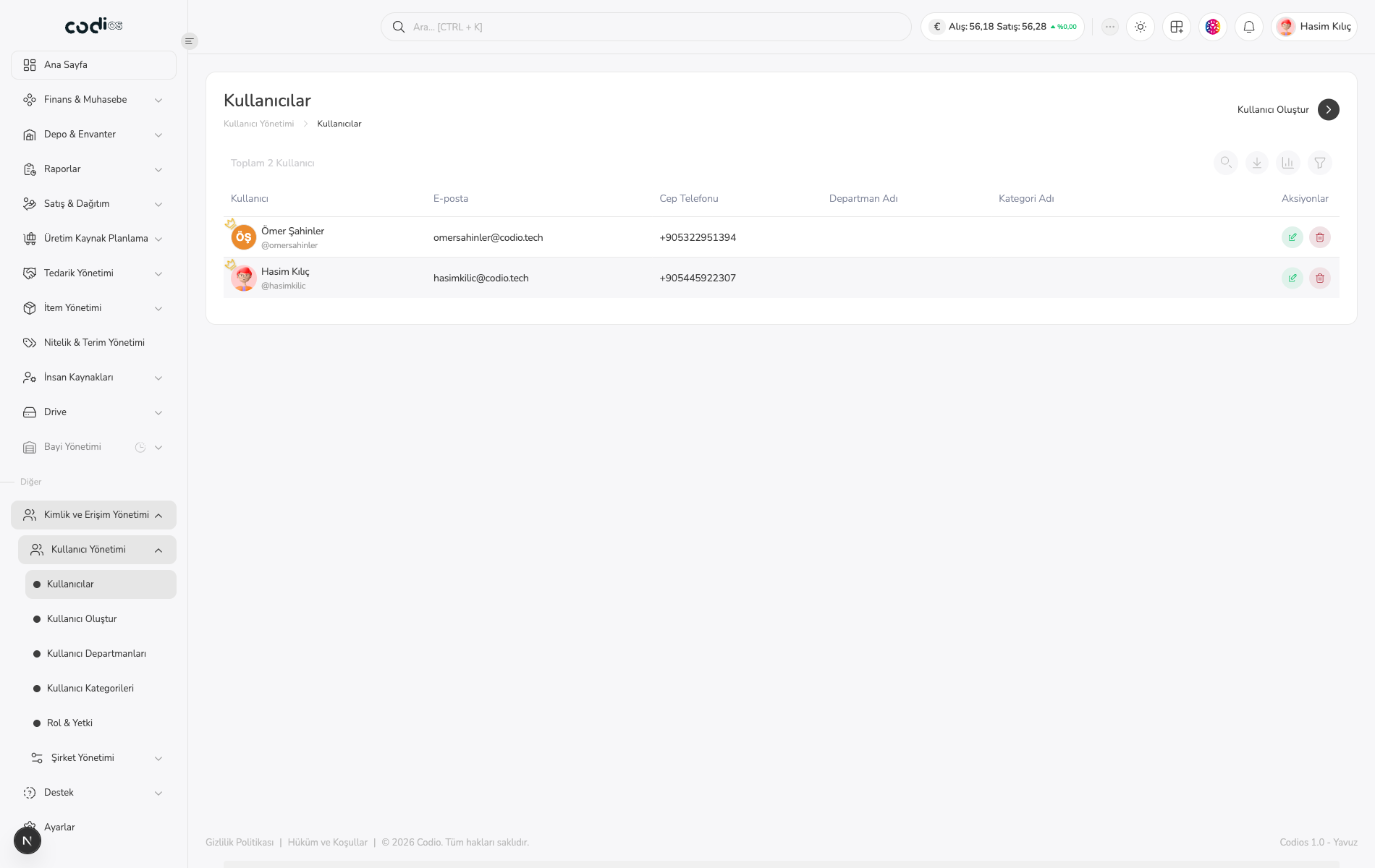
Use Kullanıcılar to review, search, filter, and create ERP users.
Review the list
- Open Kullanıcılar.
- Narrow the list with the Ara… field.
- Use Filtrele when you need additional filtering.
- Review the user, email, mobile phone, department, and category columns together.
- Select a user name to open User Details and Update.
 123
- 1. Search field for narrowing the user list.
- 2. User, email, phone, department, and category columns.
- 3. Controls for creating a user and filtering the list.
Open user creation
- Select Kullanıcı Oluştur in the upper-right corner.
- Follow the steps in Kullanıcı Oluştur to complete the form.
Update an existing user
- Select the user name you want to update.
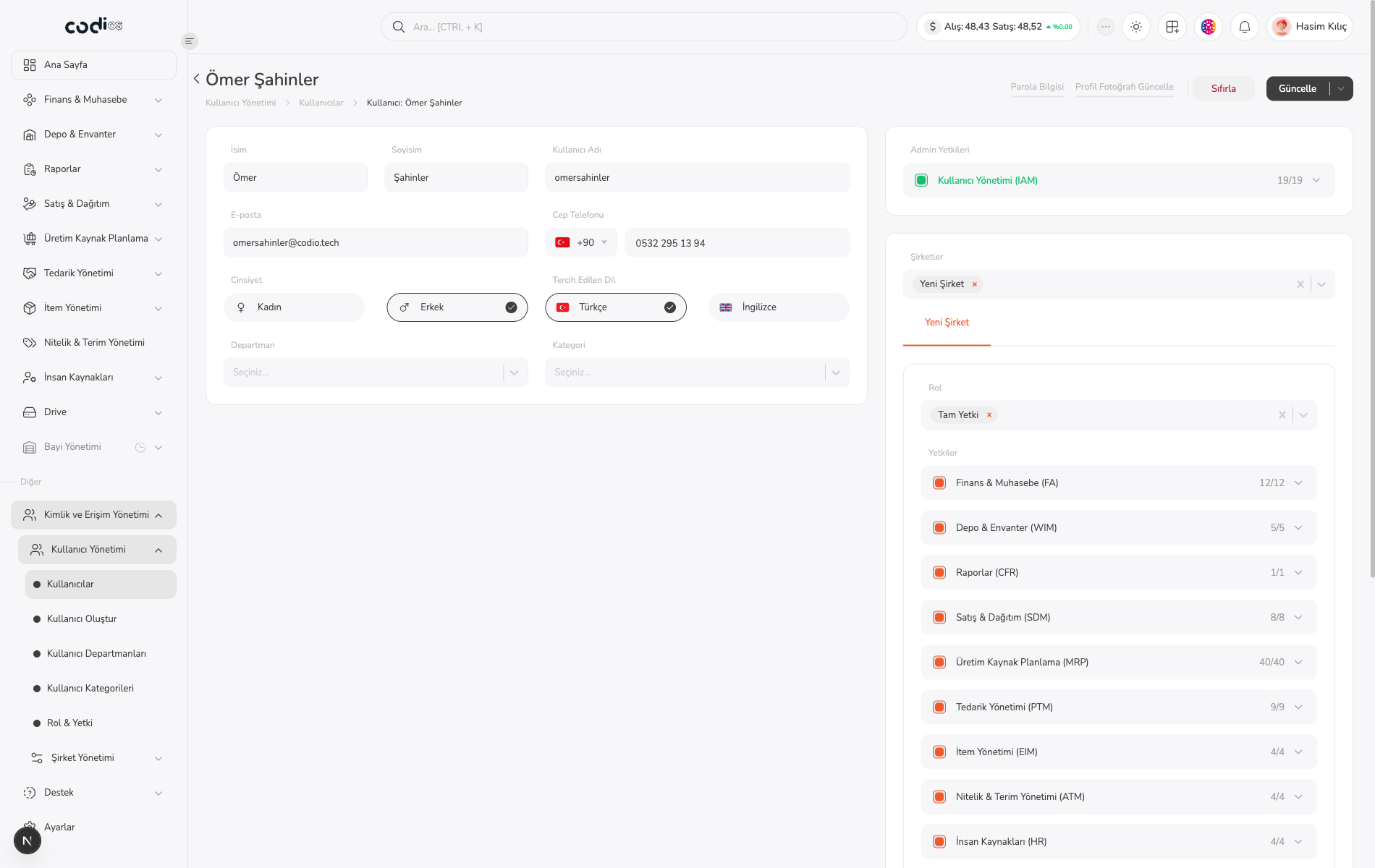
- On Kullanıcı Güncelle, review identity, contact, department, category, IAM permission, and company information.
- Edit the required fields.
- Use Sıfırla to discard changes or Güncelle to save them.
 123
- 1. User information fields.
- 2. Department, category, and IAM permission fields.
- 3. Company relationships plus Sıfırla and Güncelle controls.
After updating, return to the user list and confirm that the changed information was saved.
Back to top