
Warehouse & Inventory Overview
The Warehouse & Inventory module brings warehouse definitions, stock levels, and item movements into one operational flow.
Before you start
- Confirm that you can access the warehouse you will work in.
- Check the unit and product information on the stock card.
- Identify which warehouse the operation will take stock from and add stock to.
Daily workflow
- Review the warehouse structure and locations.
- Check the product’s current quantity on the Stock Cards page.
- Start the receiving, transfer, or outbound operation from the relevant record.
- Confirm the resulting record on the Item Movements page.
Sections
- Warehouses: Manage warehouse and location definitions.
- Stock Cards: View physical and available stock by product.
- Item Movements: List every record that affects stock quantities.
- Stock Transfer Orders: Prepare warehouse transfers and shipments.
- Packages: Group shipment-ready products into packages.
Find your way around
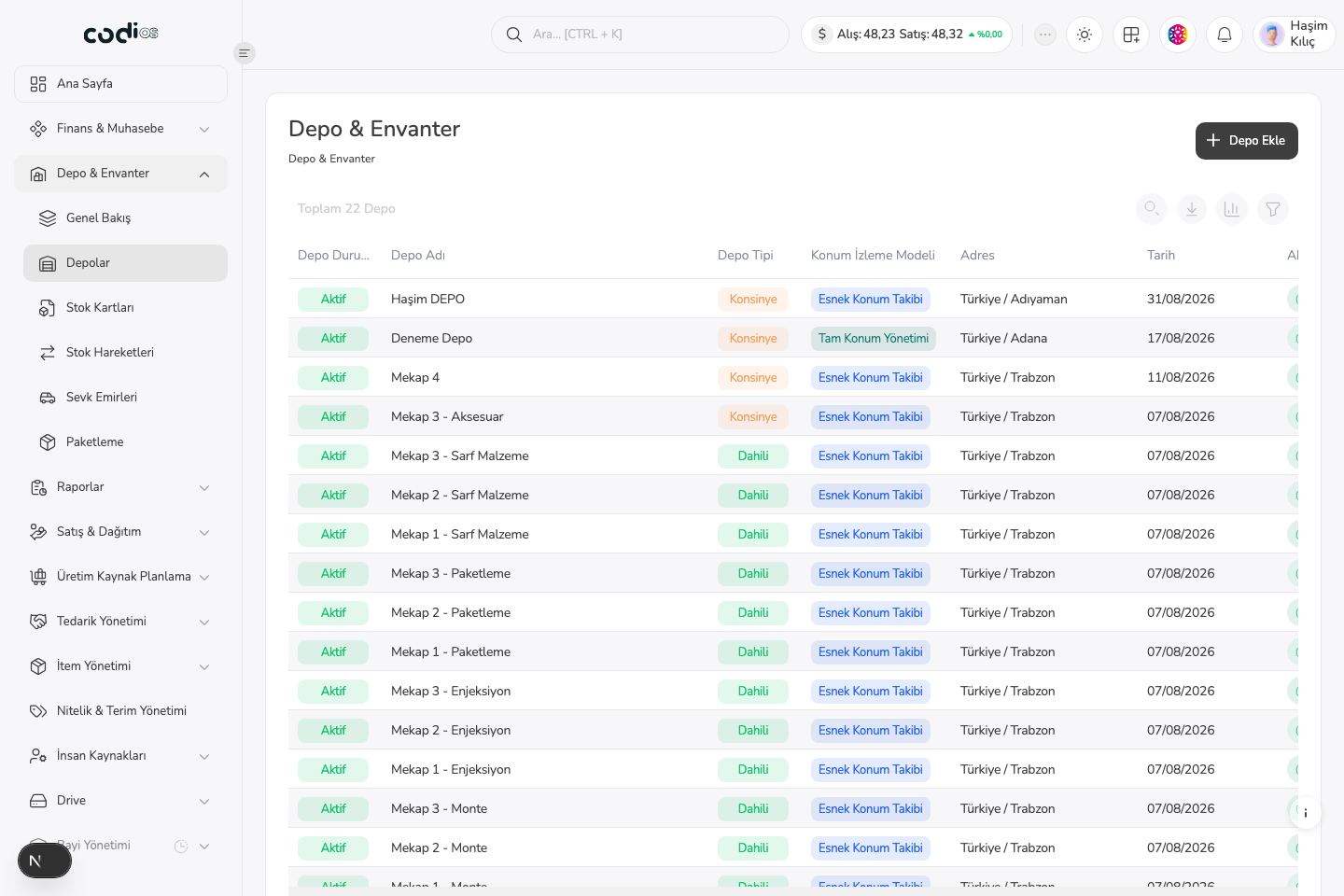 123
123- 1. Select the WIM section you want to work in from the sidebar.
- 2. Use the add button in the upper-right corner to create a warehouse or start an operation.
- 3. The main list lets you compare warehouse status and definition details.