
Item Movements
The Item Movements page provides traceability for operations that change stock quantities. Check records here first when investigating a difference.
Find a movement
- Filter by product and warehouse.
- Narrow the operation date.
- Check whether the movement is inbound or outbound.
- Open the relevant record and confirm its source and destination.
Review these details
- Product and quantity affected by the movement
- Source and destination warehouse
- Operation date and status
- The operation or document that created the movement
Tip
When a quantity on a stock card is unexpected, review the most recent movements for the same product and warehouse in date order.
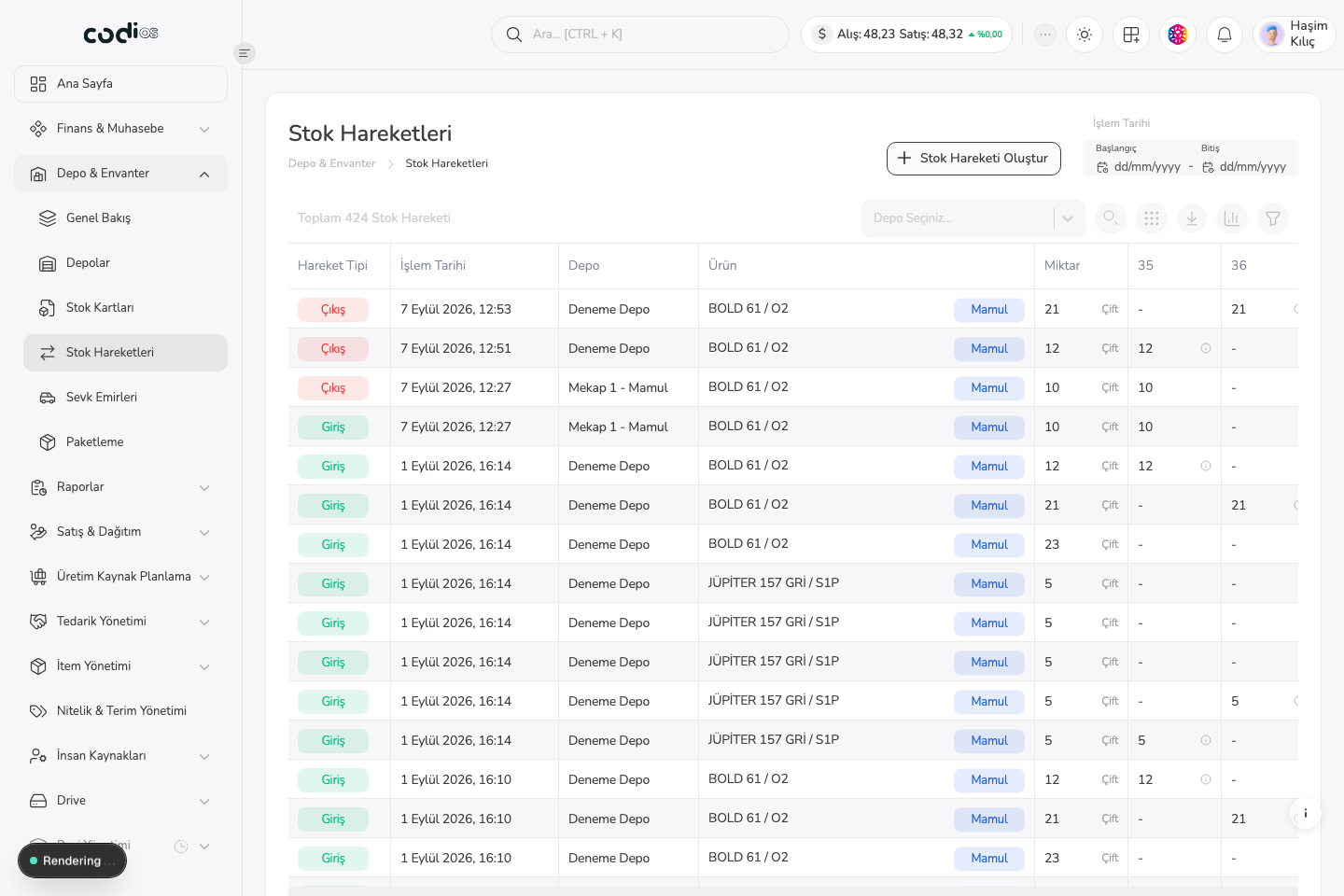
Item Movements page
 123
123- 1. Set the date range for the operation period you need to review.
- 2. Filter or export the list with the warehouse selector and toolbar.
- 3. The movement type distinguishes inbound and outbound quantities.
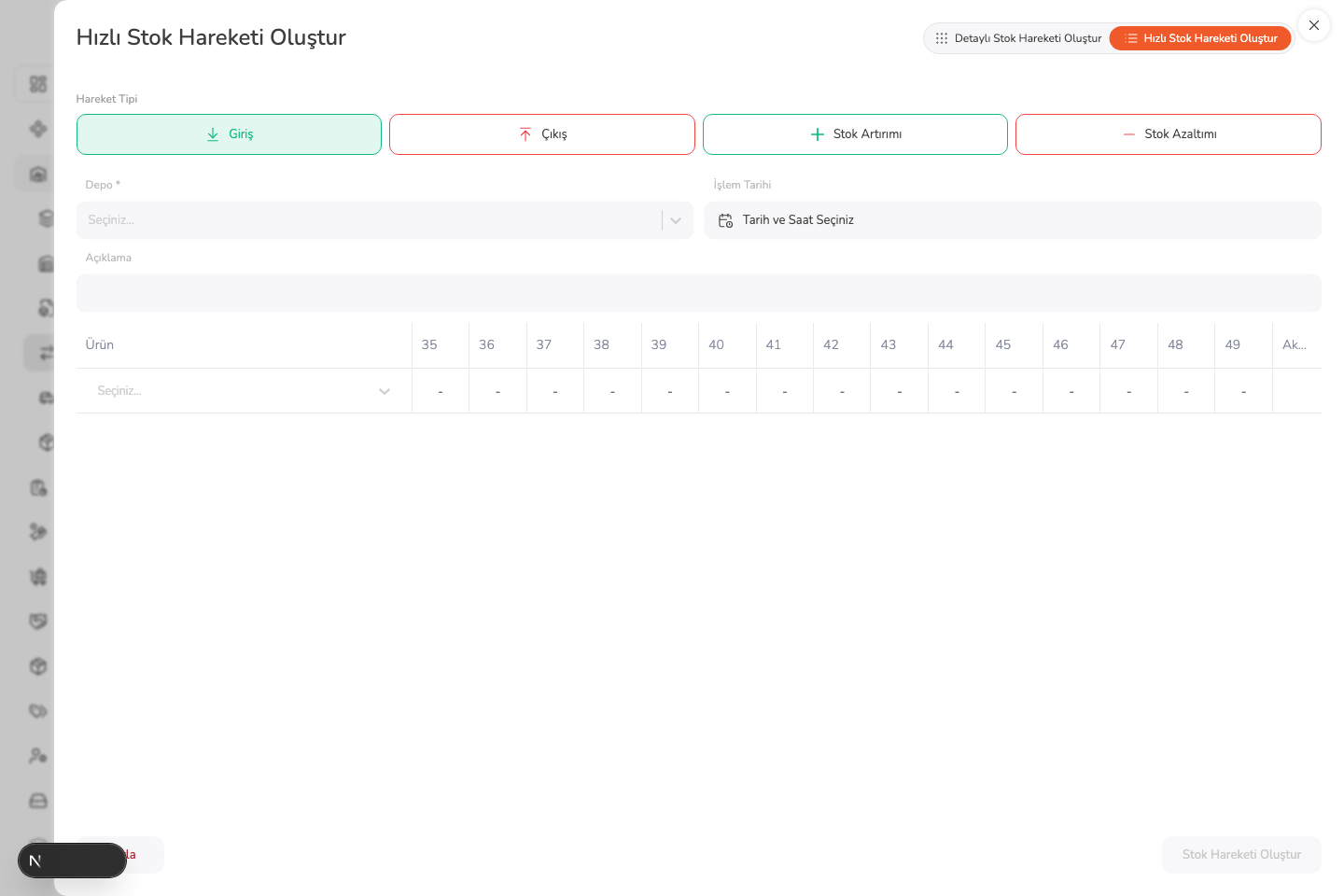
Create movement panel
 123
123- 1. You can switch between quick and detailed stock-movement creation modes.
- 2. The warehouse and operation date determine which stock is affected.
- 3. A movement record cannot be completed without selecting a product row.