

Tax Definitions
Use Tax Definitions to manage a tax type first, then the rate or amount definitions belonging to that type.
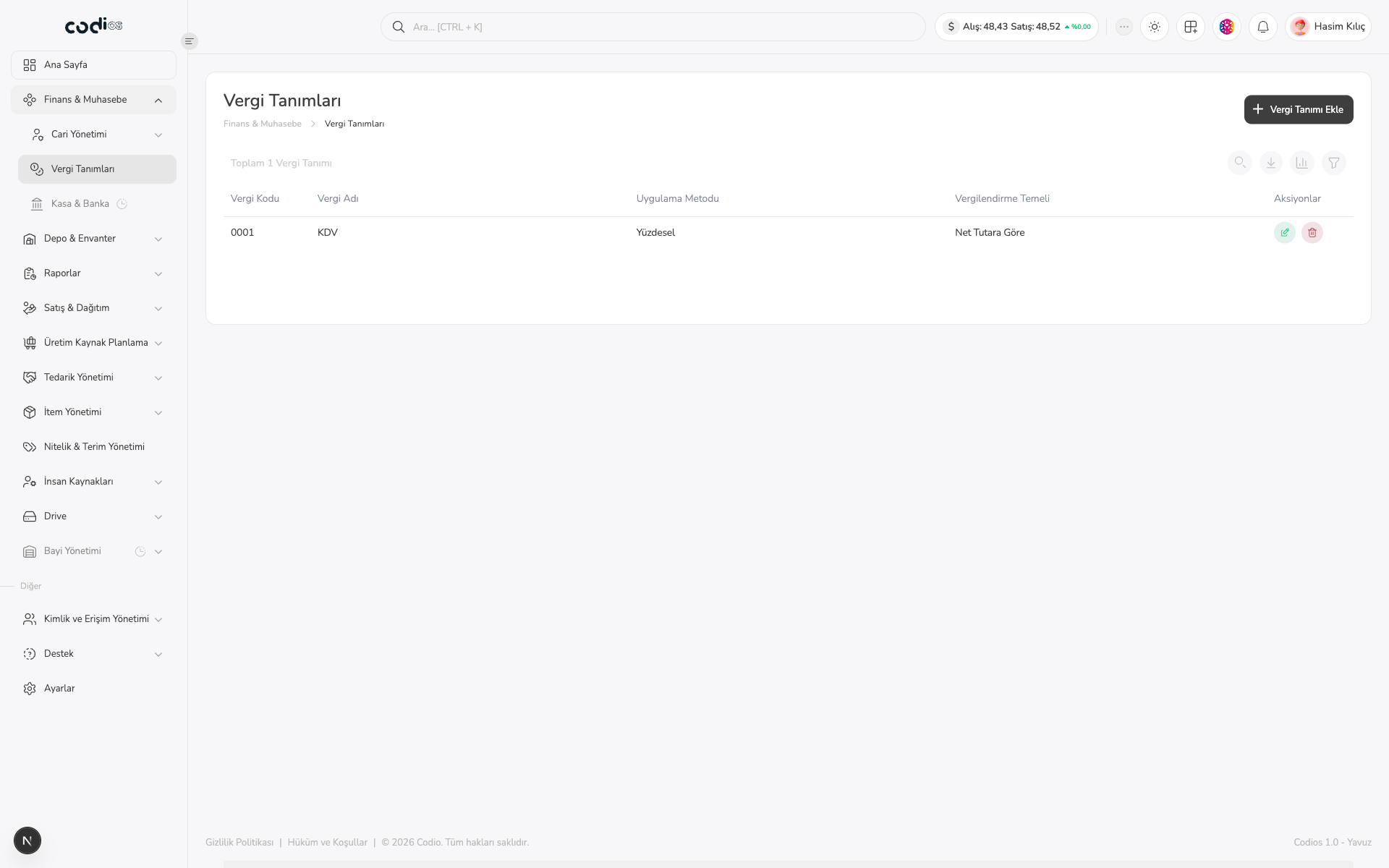
Review the tax type list
 123
- 1. Select Vergi Tanımı Ekle to create a new tax type.
- 2. Review the tax code, tax name, application method, and taxation basis.
- 3. Open the tax name to manage its rate or amount definitions.
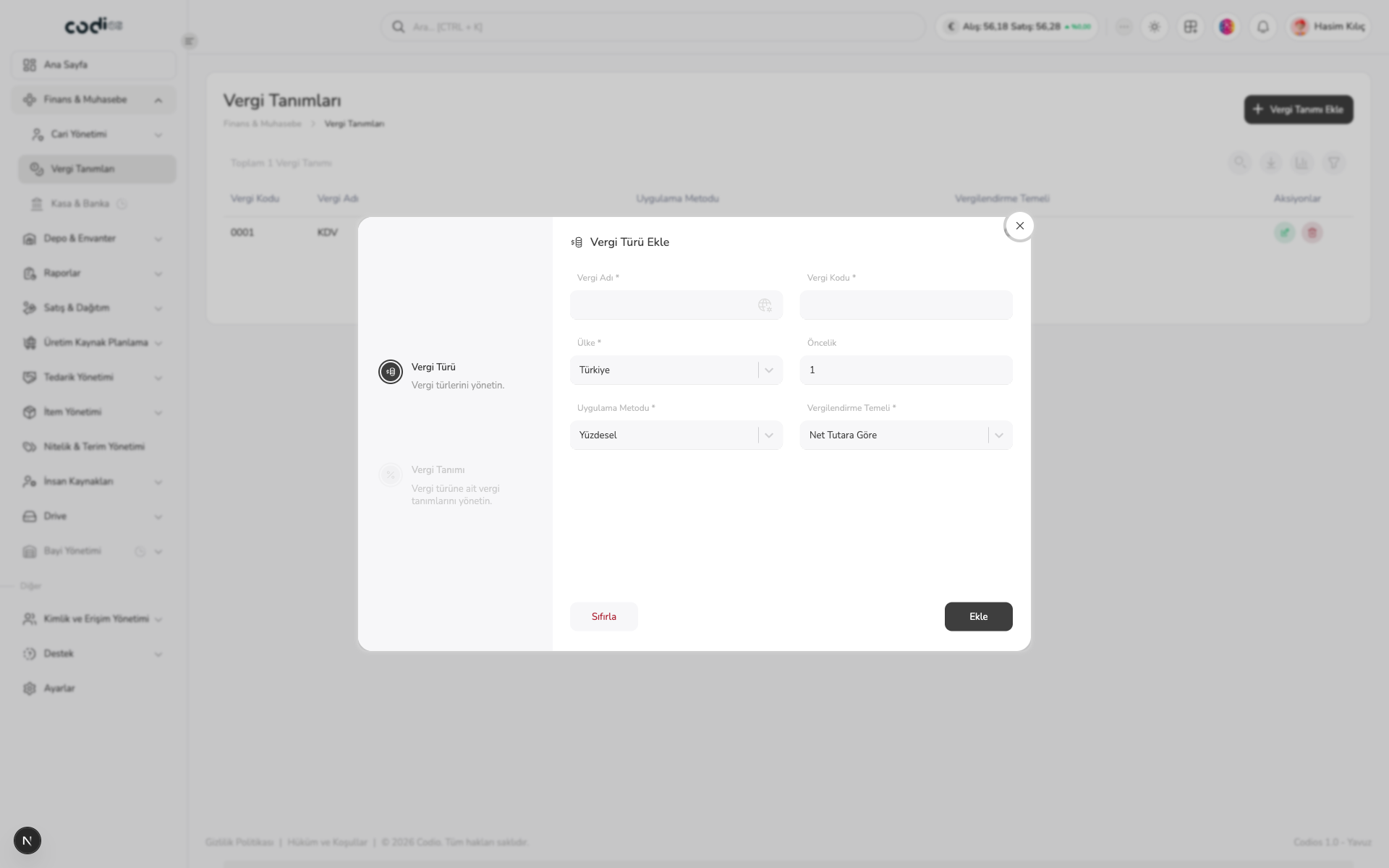
Set one: Vergi Türü Ekle
 1234
- 1. Complete the required Vergi Adı and Vergi Kodu fields.
- 2. Select the country and update Öncelik when needed.
- 3. Select the required Uygulama Metodu and Vergilendirme Temeli options.
- 4. Create the tax type with Ekle or clear the form with Sıfırla.
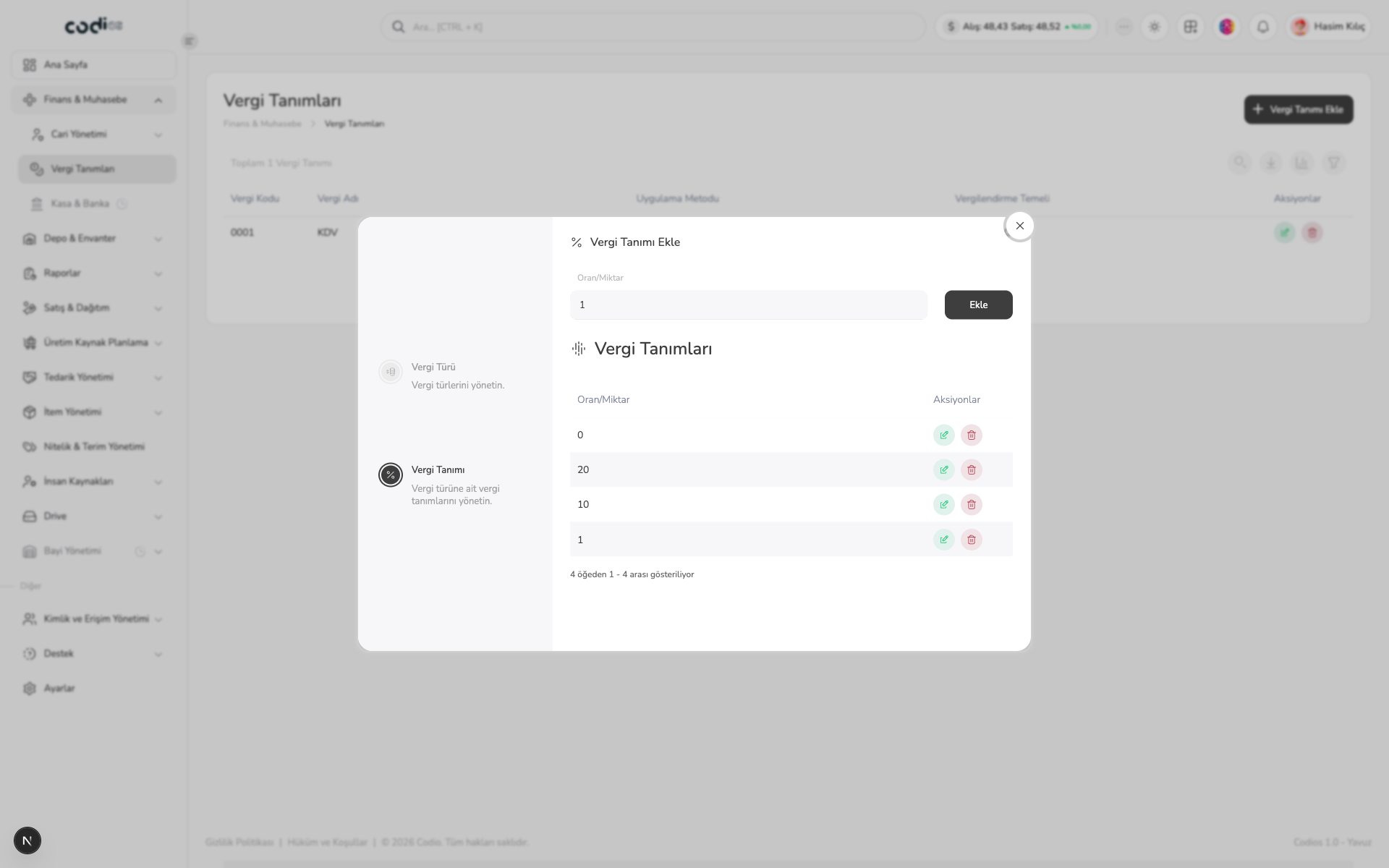
Set two: Vergi Tanımı Ekle
After creating a tax type, open its tax name from the list. The second set becomes available in the detail view, where you manage the rate or amount records connected to that tax type.
 123
- 1. Enter the tax-specific value in Oran/Miktar.
- 2. Save the rate or amount with Ekle.
- 3. Review saved values and row actions in the Vergi Tanımları table.
Completion check
Confirm the tax code, name, application method, and taxation basis in the tax type list. In the detail view, confirm that the expected rate or amount records are visible.
Back to top