
Packages
The Packages page helps you organize shipment-ready products into packages. A package record makes it easier to follow products together during preparation and delivery.
Prepare a package
- Check the products to be shipped and the related order.
- Identify the products that belong in the same package.
- Create the package record.
- Confirm the package contents and quantities one final time.
Keep in mind
- Ensure that quantities added to the package match the transfer order.
- When a product is missing or damaged, investigate it before completing the package.
- After the package is complete, follow the current status of its related transfer order.
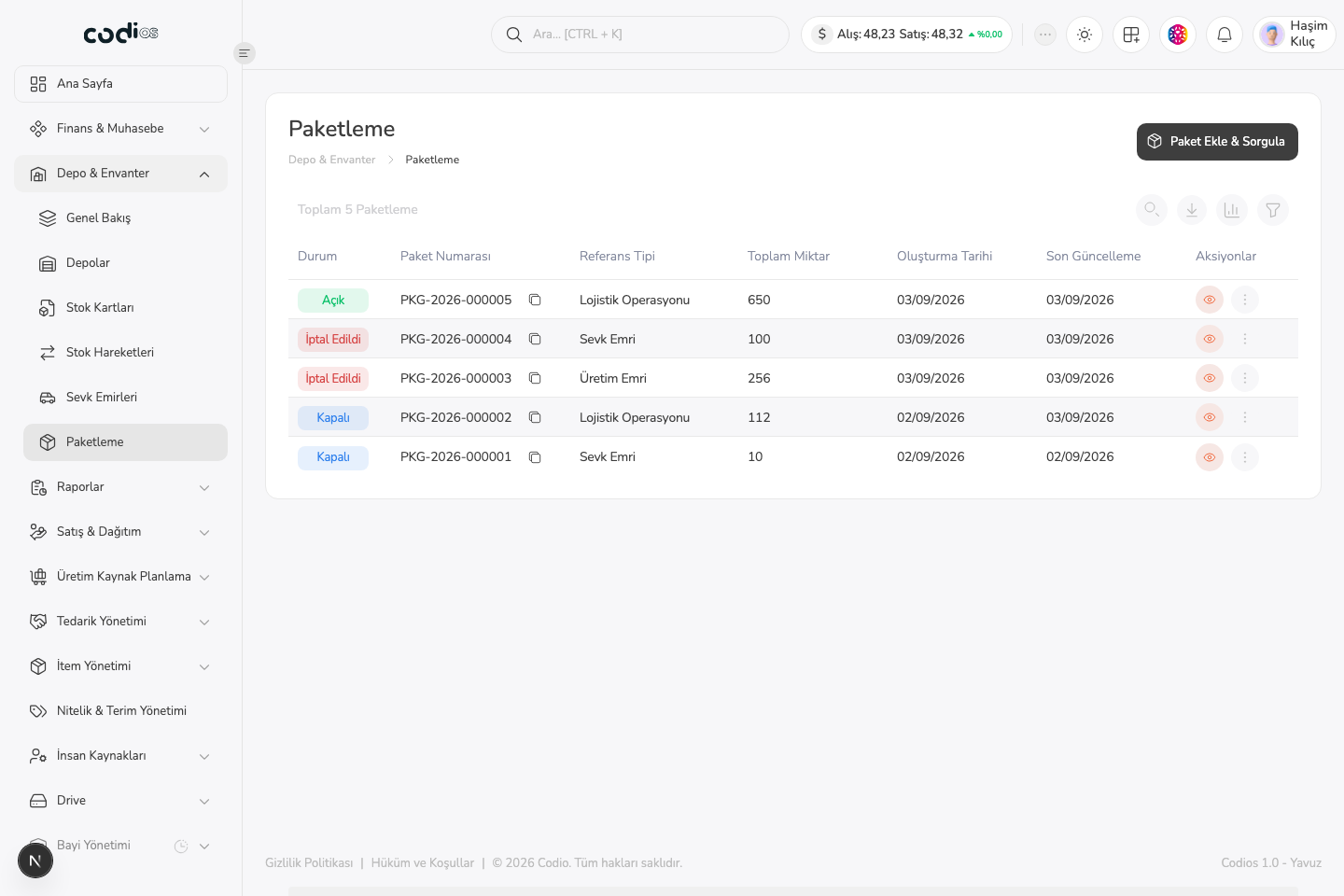
Packages page
 123
123- 1. Use Add & Query Package to start package creation or lookup.
- 2. The reference type identifies the operation associated with the package.
- 3. Review package contents and operation details with the eye icon.
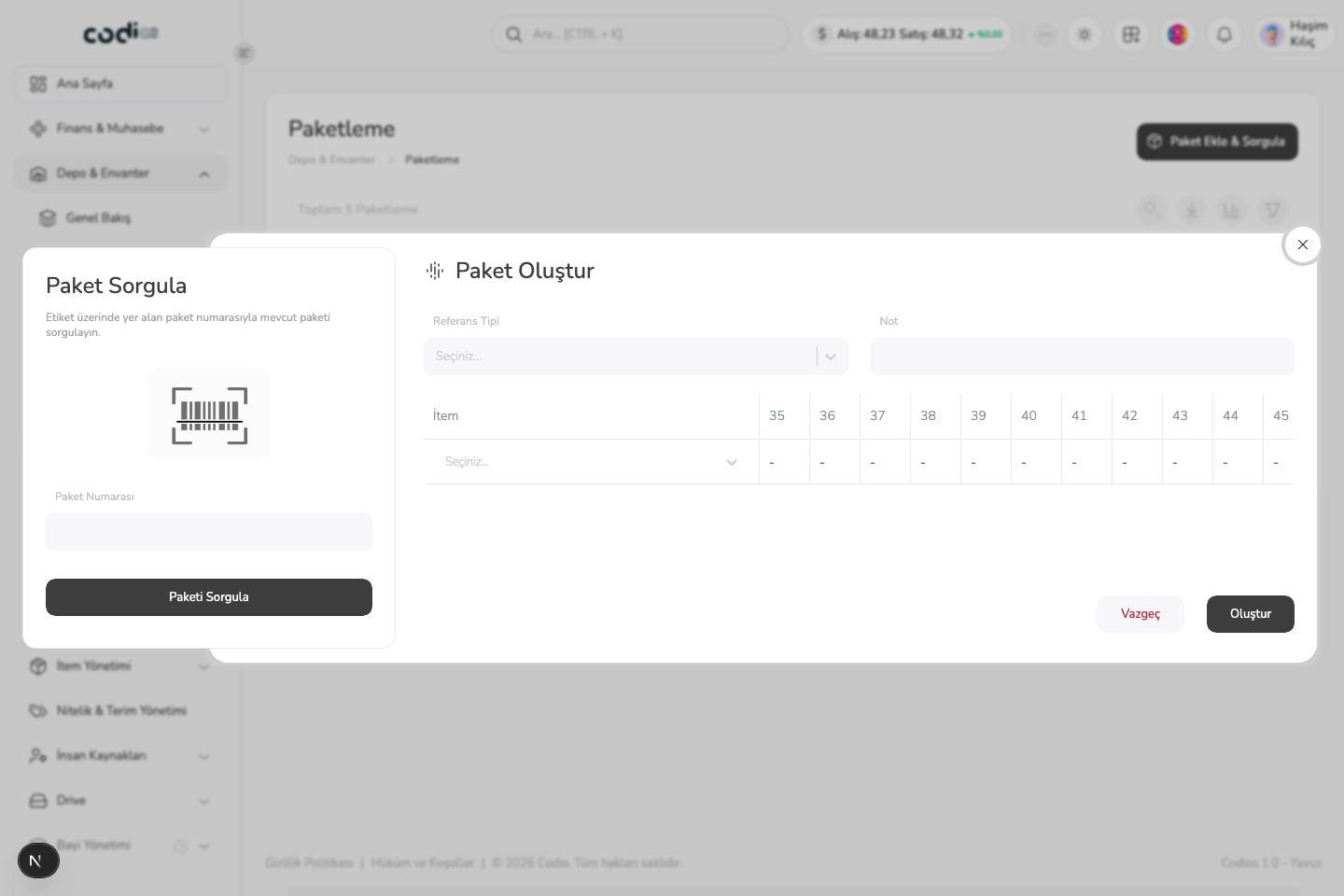
Create and query package panel
 123
123- 1. Look up an existing package using the package number printed on its label.
- 2. Select the reference type that the new package belongs to.
- 3. Add product rows and a note, then create the package record with Create.