

Attribute and Term Management
The Attribute and Term Management page lets you manage attributes used on products and the terms associated with them. Prepare the attribute structure here before it is used on product cards.
Review attributes
- Use search to find the attribute you need.
- Review the attribute name, type, and description together.
- Switch to Terim in the attribute creation panel to manage terms for the related product attribute.
Create an attribute
- Select Nitelik Ekle in the upper-right corner.
- Enter a value in Nitelik Adı.
- Select the display type from Nitelik Tipi.
- Add a description when needed, then create the record with Ekle.
Attribute list
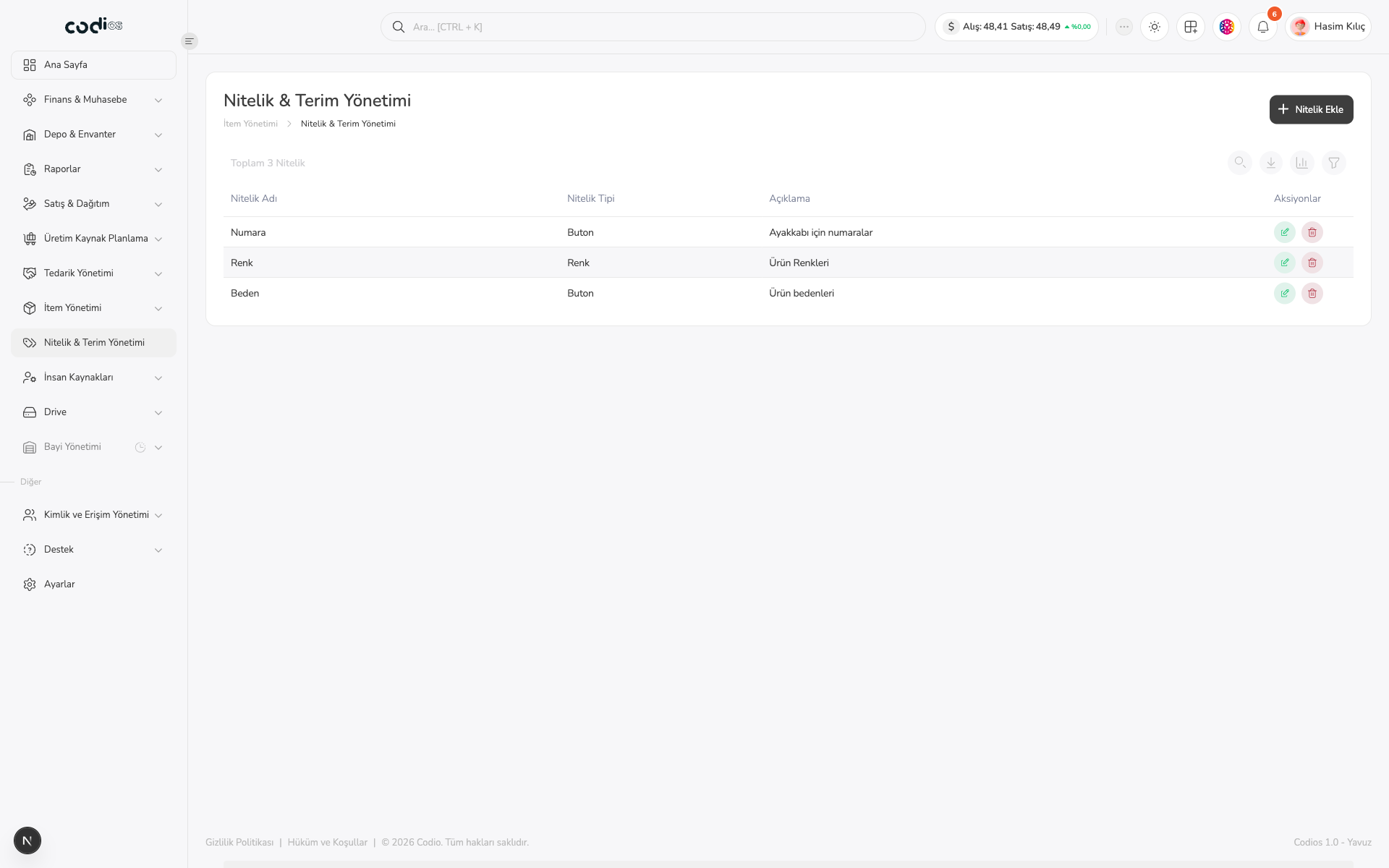 123
- 1. Use Nitelik Ekle to create a new attribute.
- 2. Nitelik Tipi shows how the attribute is used on a product.
- 3. The description helps distinguish which product information the attribute represents.
Create attribute panel
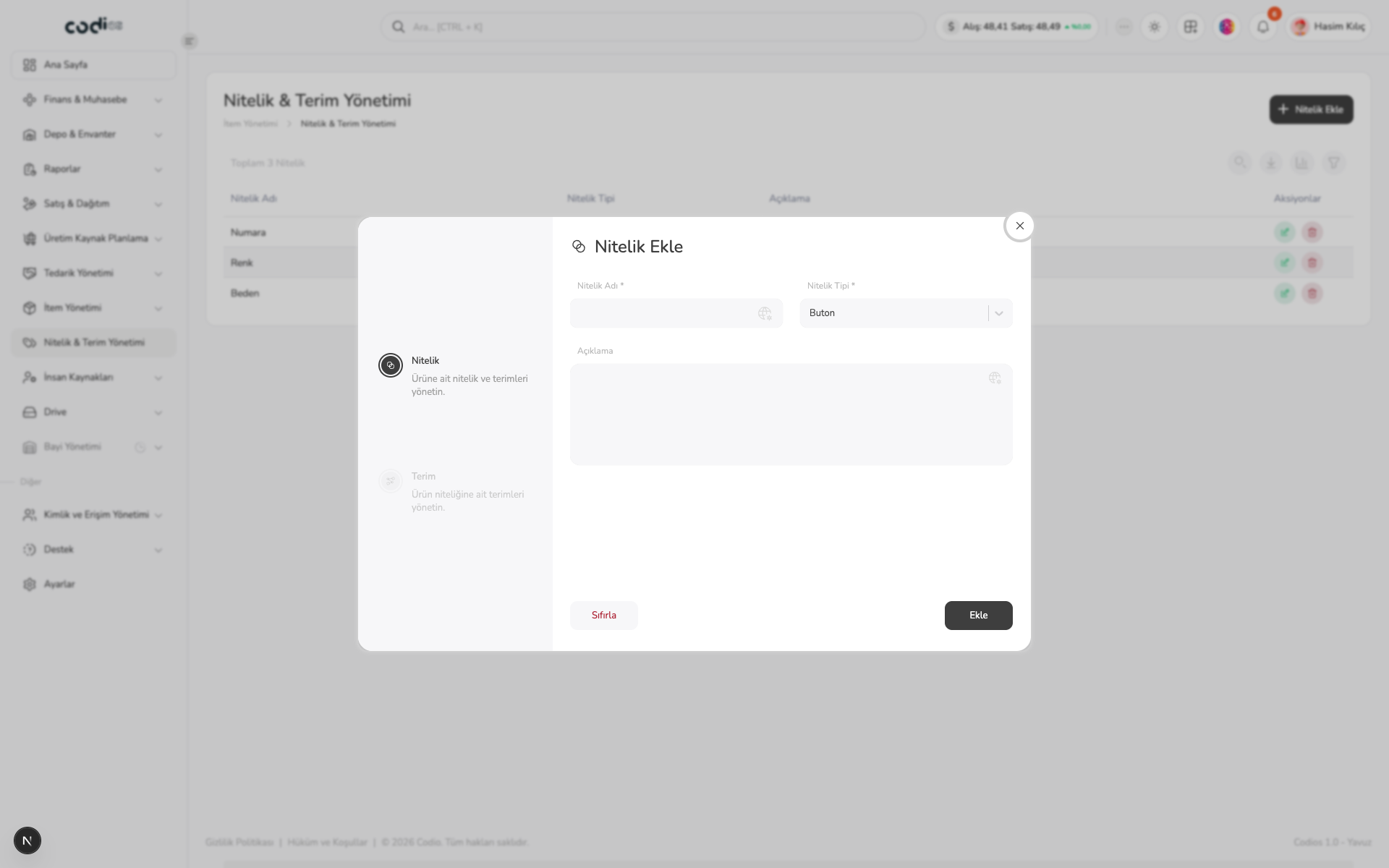 1234
- 1. In the first step, use Nitelik to define the product attribute.
- 2. The attribute name and type are required.
- 3. The description records the purpose of the attribute.
- 4. Use Ekle to create the record or Sıfırla to clear the entered fields.
Term management panel
Open the edit action for an existing attribute and switch to the second step, Terim. This step manages the terms associated with the selected attribute.
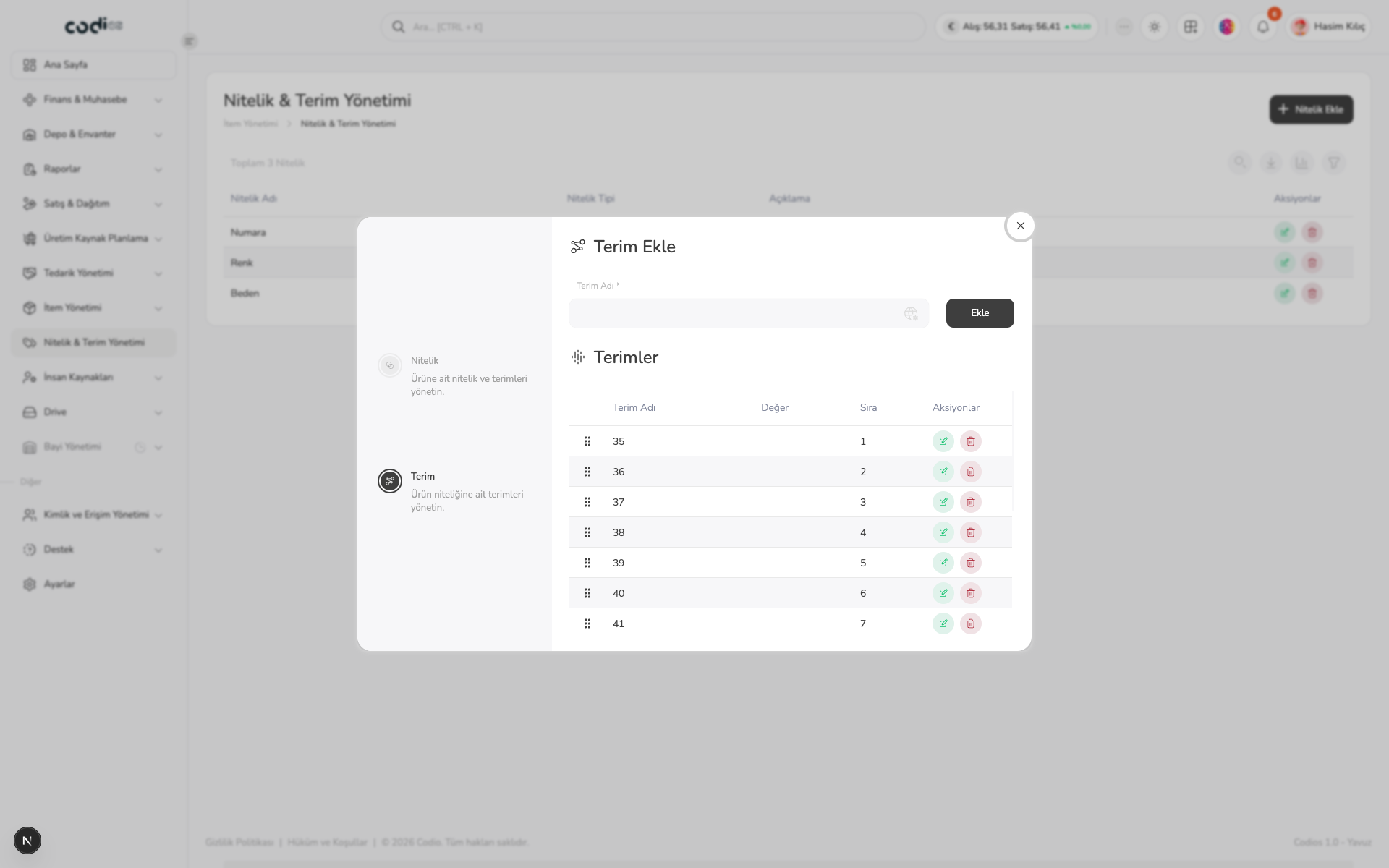 12345
- 1. The second step, Terim, opens terms for the selected attribute.
- 2. Terim Adı is required.
- 3. Use Ekle to add the term to the selected attribute.
- 4. Use the terms table to review the term name, value, order, and row actions.
- 5. Drag a term from the reorder handle on the left to change the order of the attribute terms.