

Item Groups
Item Groups let you collect similar products in a common structure. Define the required group before adding its products.
Group list
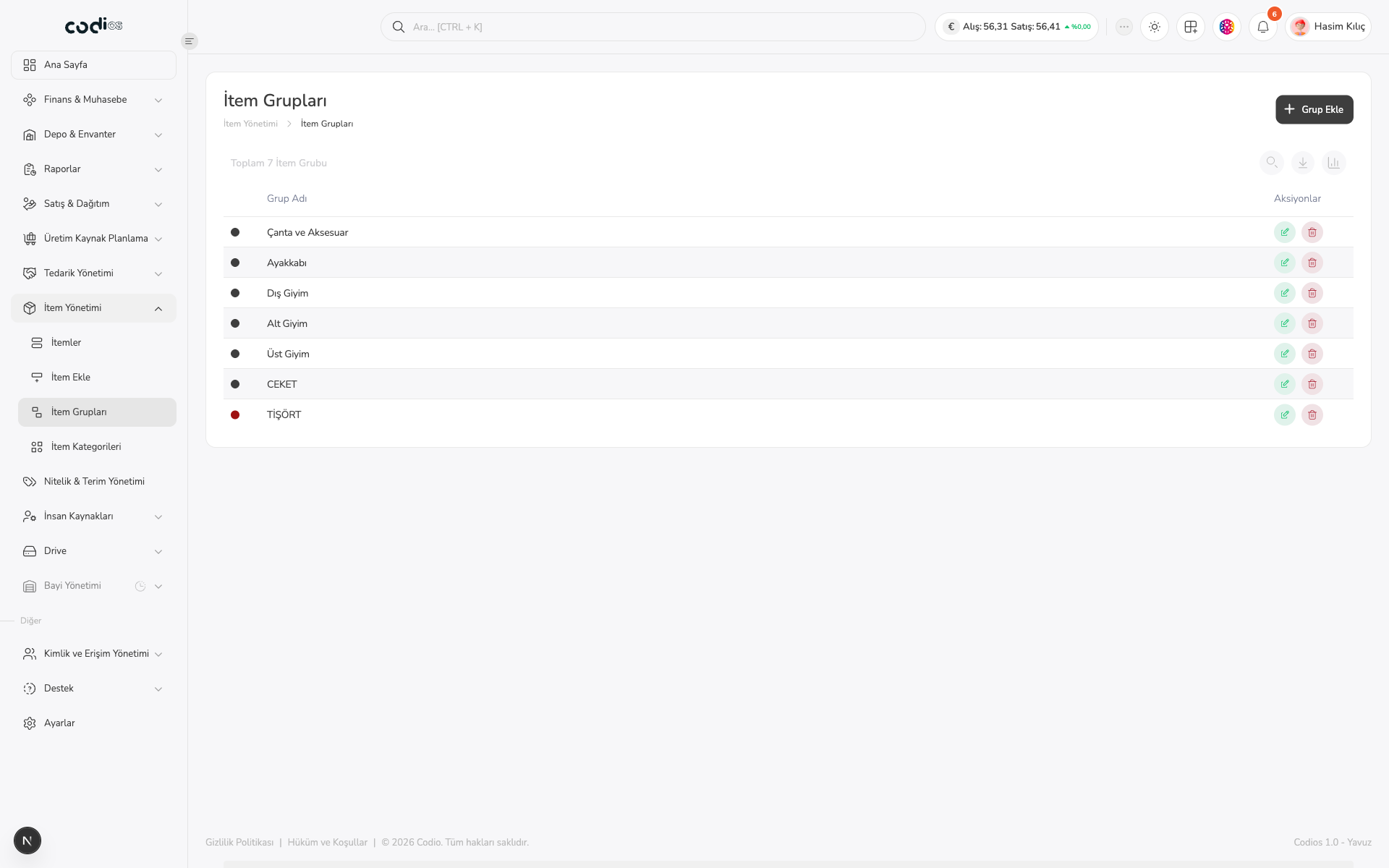
- Find an existing group with Search….
- Review group names and the action area in each row.
- Open Grup Ekle for a new group.
 123
- 1. Start a new group definition.
- 2. Manage the list with search and toolbar controls.
- 3. Check group names and their action area.
Create a group
- Open Grup Ekle.
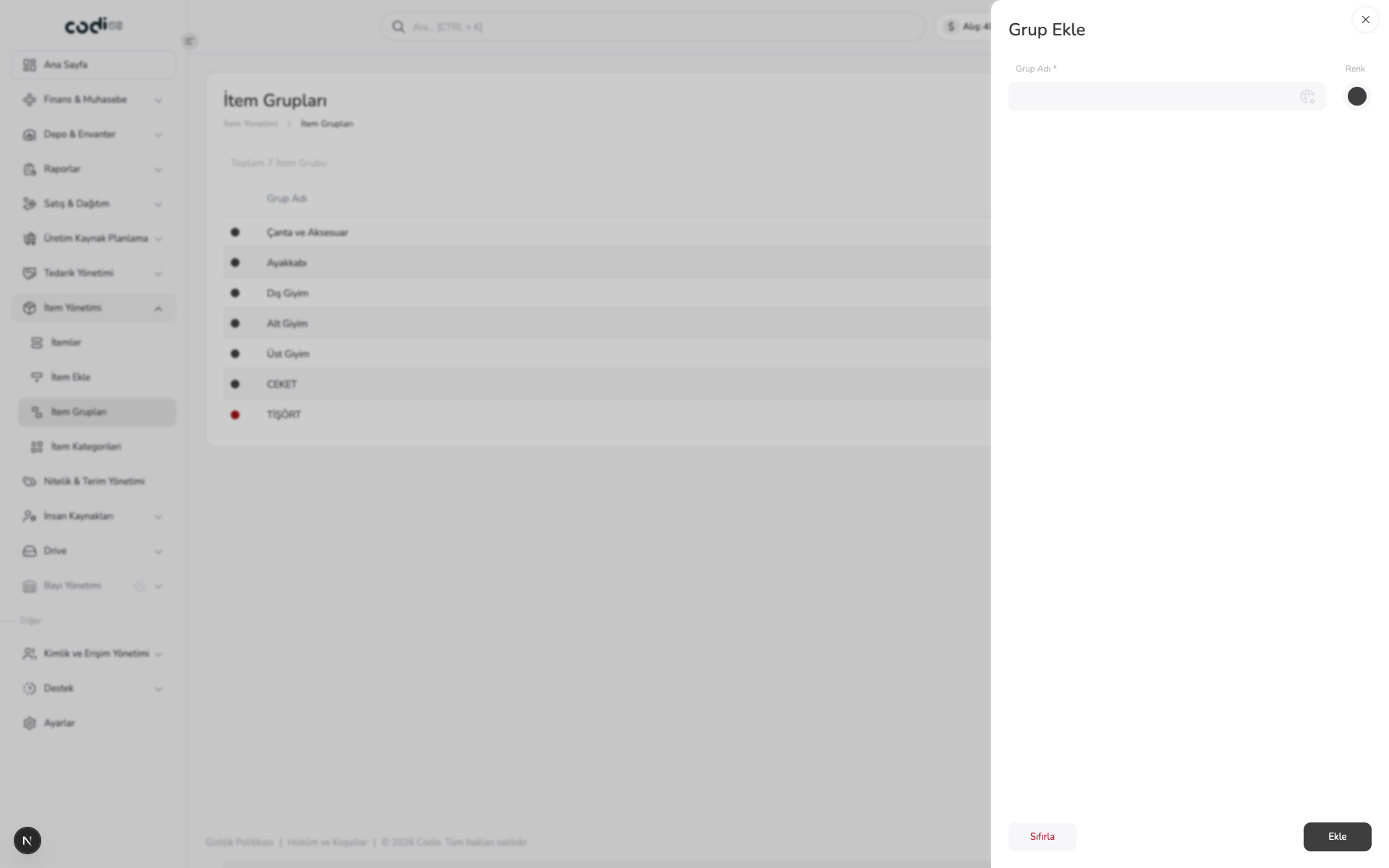
- Enter the required Grup Adı field.
- Set a color when it is needed.
- Save with Ekle; clear the form with Sıfırla.
 123
- 1. Enter the required group name.
- 2. Select a color for the group.
- 3. Complete the record with Ekle or reset the form.