
Warehouses
The Warehouses page lets you manage the warehouse structure used for inventory tracking. Because each movement has a source or destination warehouse, complete warehouse definitions before starting operations.
Create a warehouse
- Open Warehouses.
- Use the option to create a new warehouse.
- Enter the warehouse name and the definitions required for your operation.
- Finish the record and confirm that authorized users can access it.
Locations
You can define shelves, areas, or sections in a warehouse as locations. Locations make it easier to track where material is stored and organize putaway operations.
Good practices
- Use a separate record for each physical warehouse.
- Avoid warehouse and location names that can be confused with one another.
- Before starting a new movement in an unused warehouse, check its access and status.
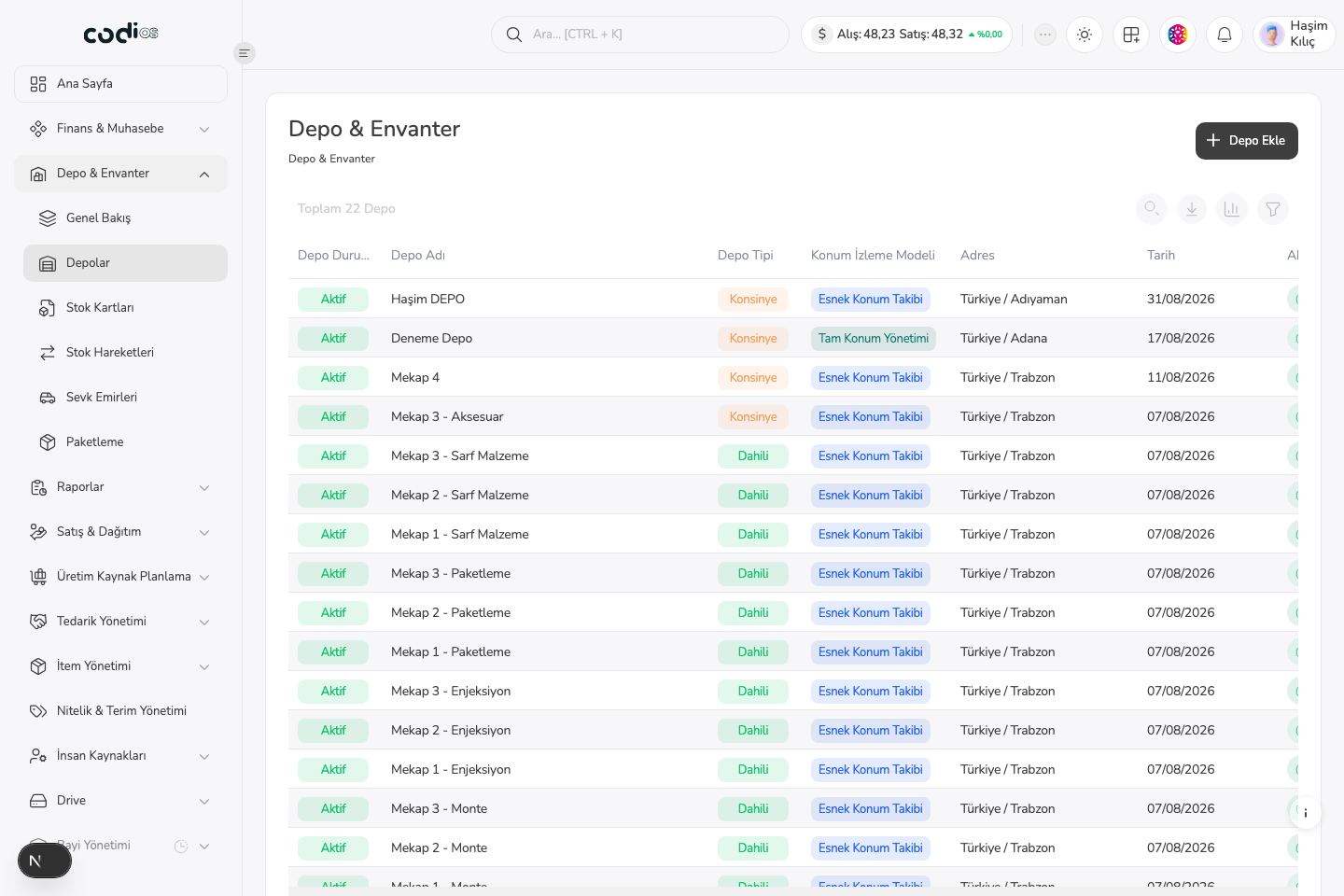
Warehouses page
 123
123- 1. Use Add Warehouse to start a new warehouse record.
- 2. The warehouse name and type help you select the right operational area.
- 3. The location-tracking model shows how locations are managed in the warehouse.
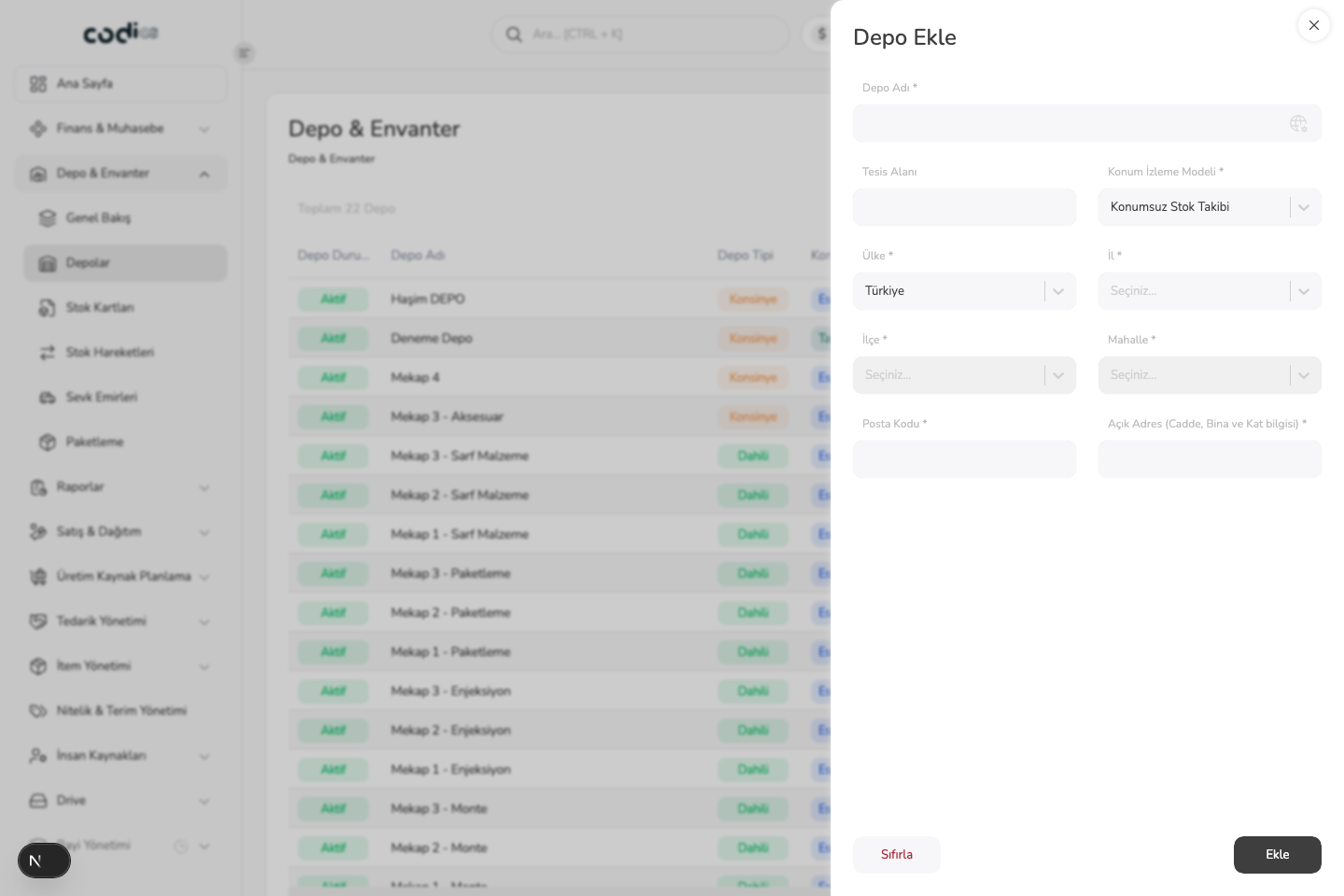
Add Warehouse panel
 123
123- 1. Enter the required warehouse name.
- 2. Select the location-tracking model for your warehouse operation.
- 3. Complete the required address fields, then save with Add.