
Stock Transfer Orders
Stock Transfer Orders are used to prepare products and follow a warehouse transfer or shipment process.
Create a transfer order
- Identify the source warehouse and destination.
- Add the products and quantities to be sent.
- Confirm that stock is available.
- Create the record and follow its operation status.
Check before processing
- Are the product quantities correct?
- Does the source warehouse have sufficient available stock?
- Is the destination warehouse or delivery information correct?
After completion, check the stock change from Stock Cards and Item Movements.
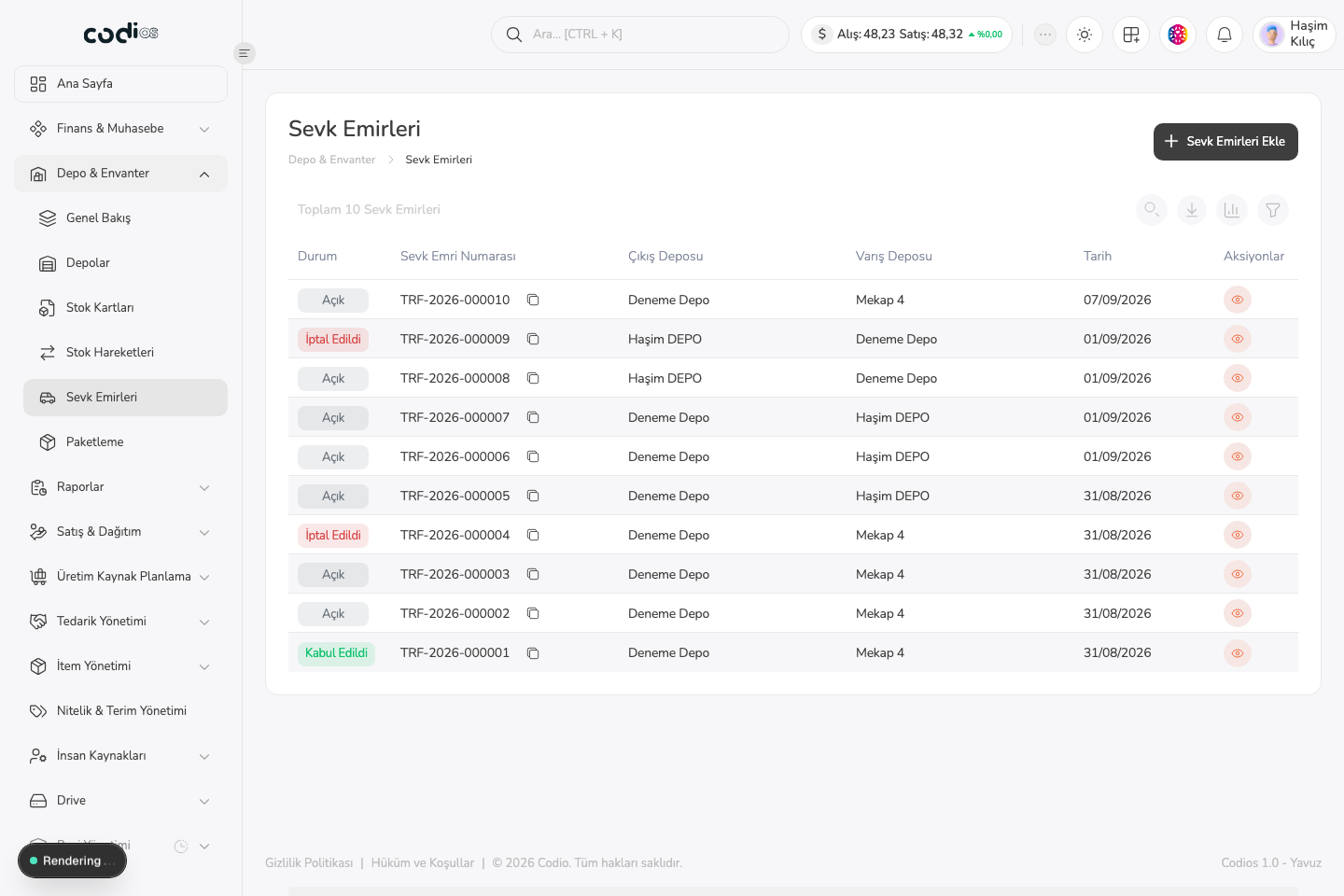
Stock Transfer Orders page
 123
123- 1. Use Add Stock Transfer Order to create a new preparation or transfer record.
- 2. Check the source and destination warehouses to confirm the movement direction.
- 3. Open the record details with the eye icon.
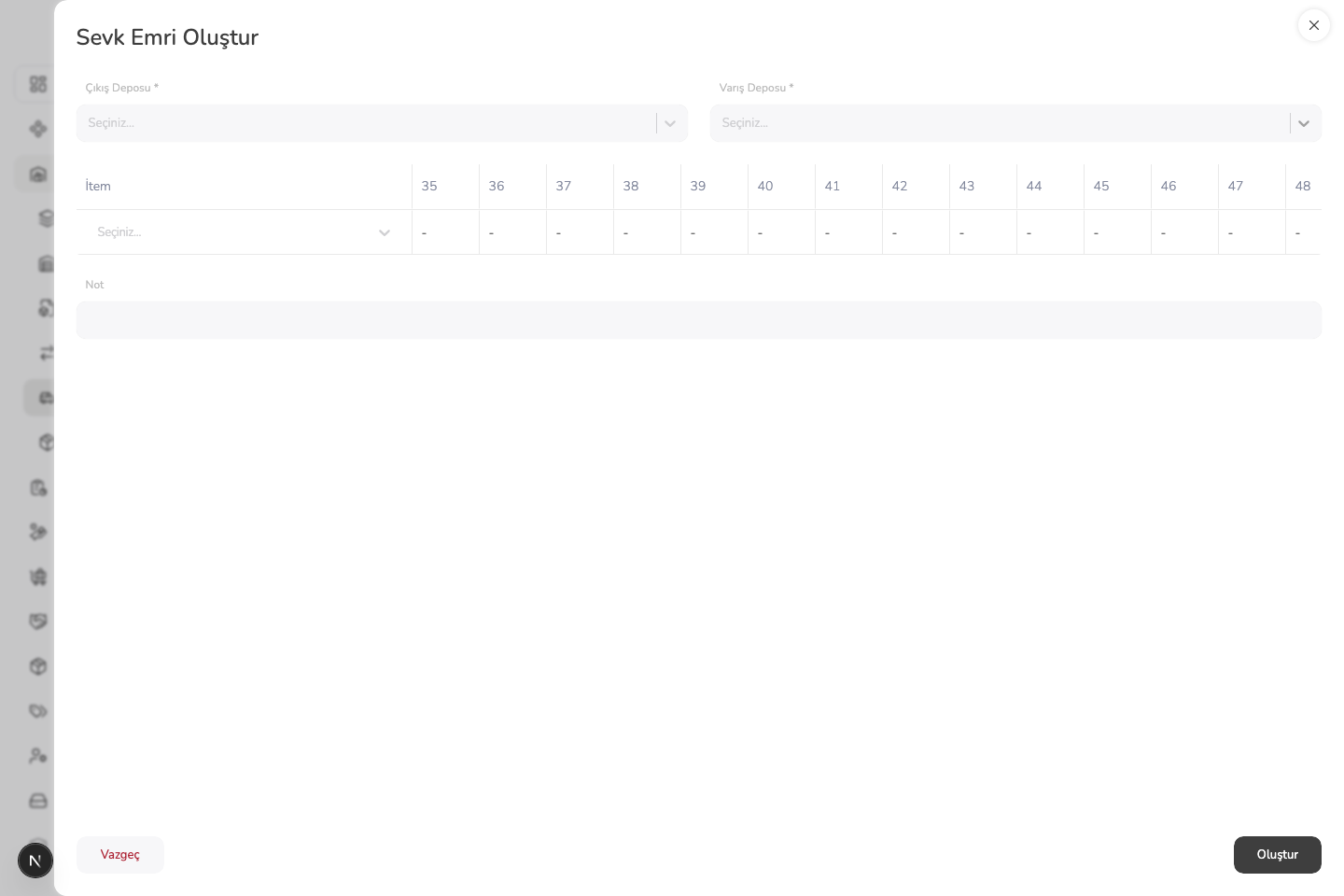
Create Stock Transfer Order panel
 123
123- 1. Select the warehouse that the stock will leave.
- 2. Select the warehouse that will receive the products.
- 3. Add the product rows, then save the transfer order with Create.