

Current Accounts
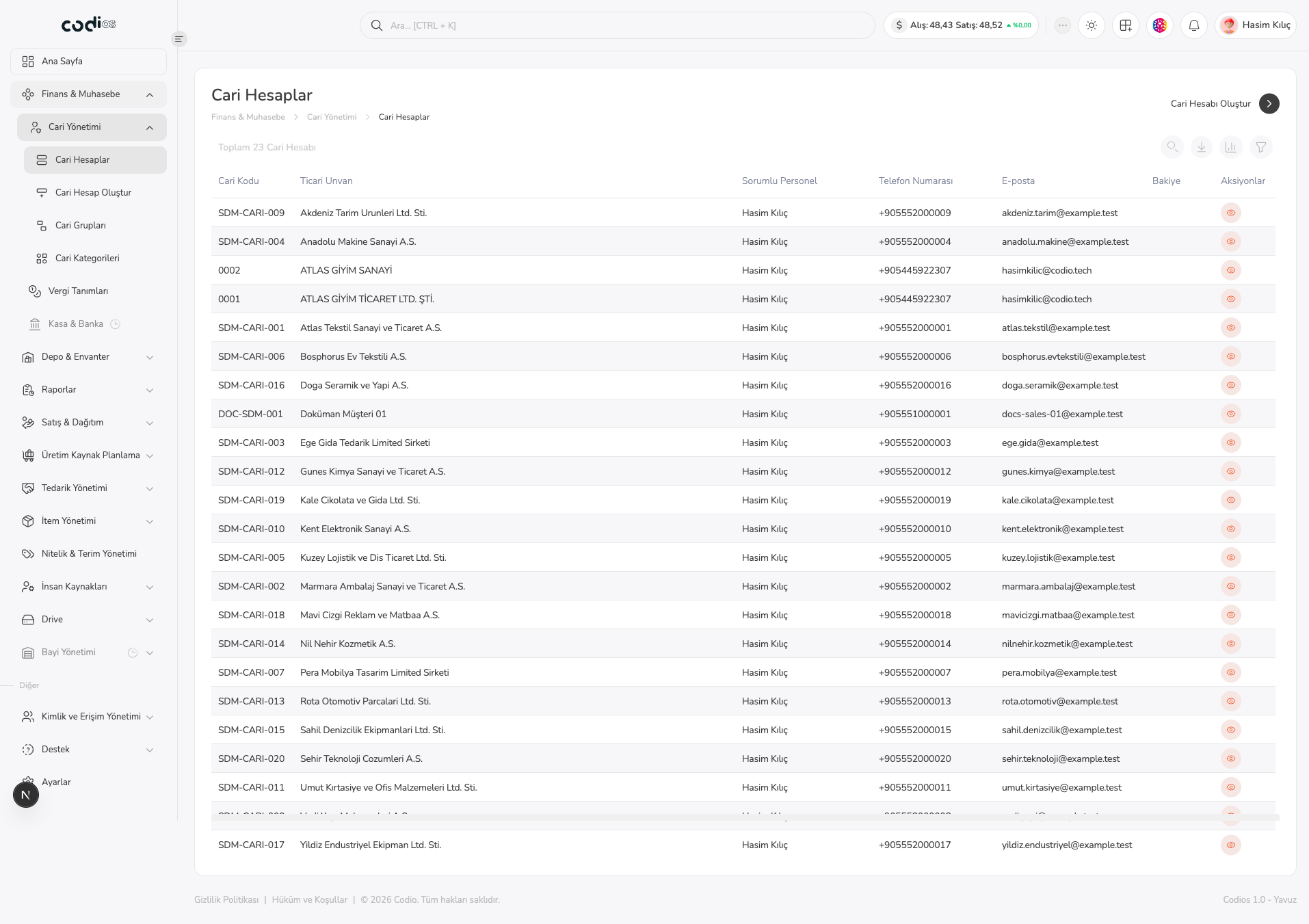
Use Current Accounts to search and filter existing accounts, open their details, and start a new account.
Review the list
 123
- 1. Review the current code, legal name, responsible employee, phone, email, and balance columns.
- 2. Start a new record with Cari Hesabı Oluştur.
- 3. Narrow the list with Ara… and Filtrele; select an account name or row action to open its details.
View account details
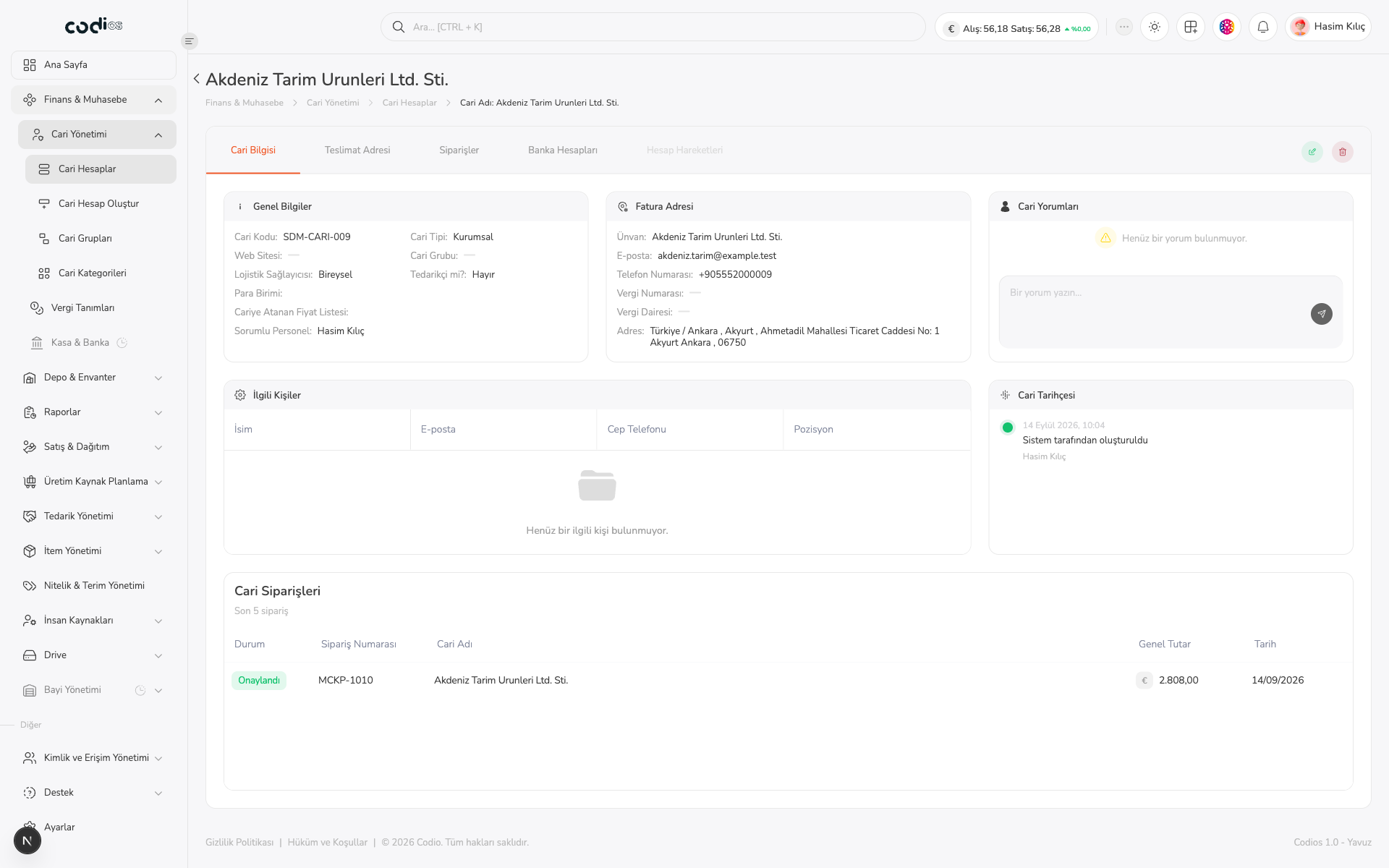
Select an account name in a row to open its detail page. Use the detail tabs to review account information, delivery addresses, orders, bank accounts, and account movements.
 123
- 1. Confirm the correct account from the heading and breadcrumb.
- 2. Select account information, delivery addresses, orders, bank accounts, or account movements from the tabs.
- 3. Review general information, invoice address, contacts, comments, history, and recent orders.
Completion check
After searching or filtering, confirm the correct legal name and current code. On the detail page, confirm that the account information and related tabs are available.
Back to top