

Create a User
Define an ERP user’s identity, classification, and access scope in one form.
Complete the form
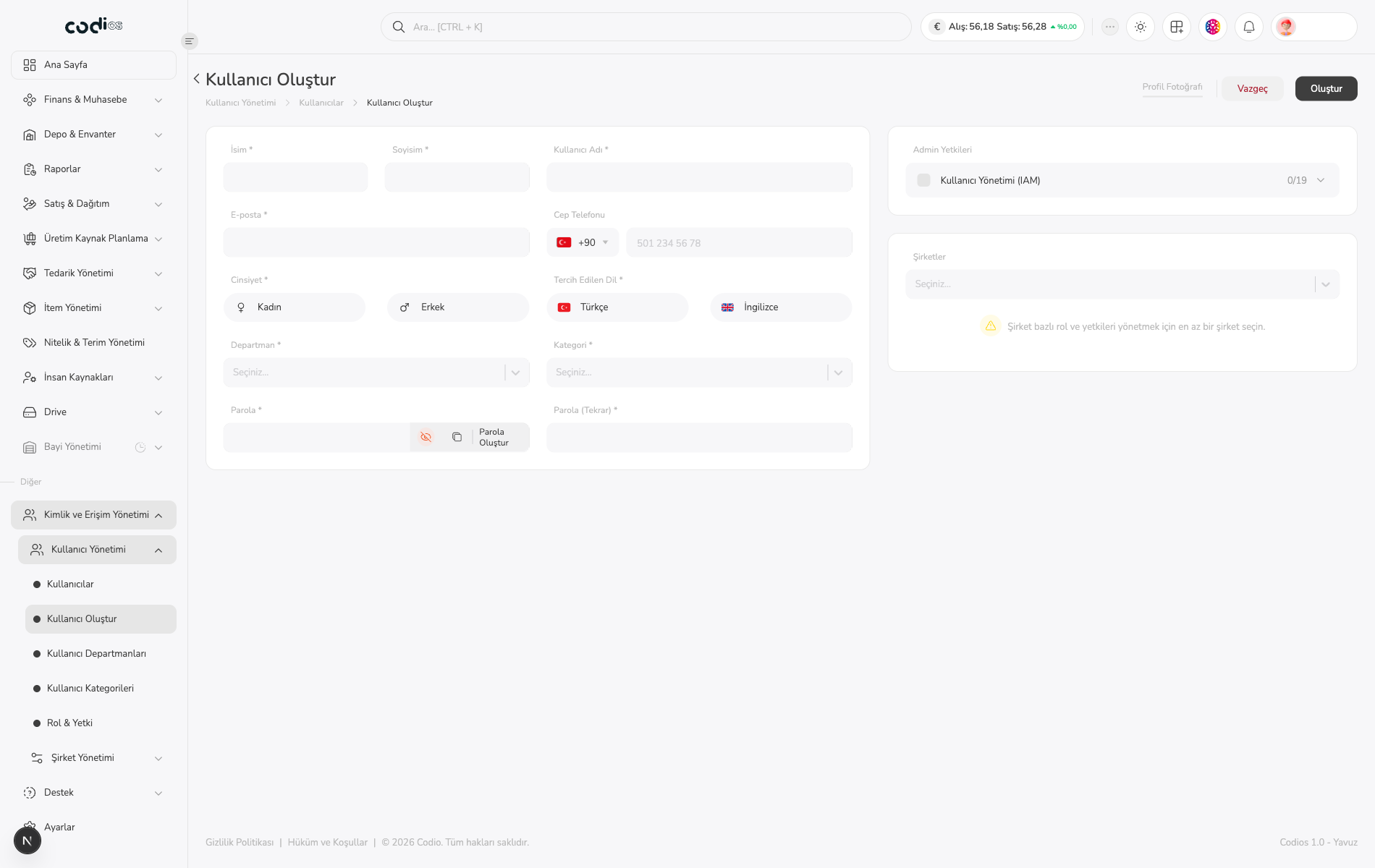
- Fill in the required İsim, Soyisim, Kullanıcı Adı, and E-posta fields.
- Add Cep Telefonu when needed.
- Select Cinsiyet and Tercih Edilen Dil.
- Choose saved options in Departman and Kategori.
- Enter the same value in Parola and Parola (Tekrar).
- Use Parola Oluştur when you need a generated password.
 1234
- 1. Identity, username, and contact fields.
- 2. Department, category, language, and password fields.
- 3. Opens the Kullanıcı Yönetimi (IAM) permissions for the user.
- 4. Company selection and the requirement for company-based permissions.
Assign access and a company
- Open Kullanıcı Yönetimi (IAM) under Admin Yetkileri and select the required permissions.
- Select at least one company in Şirketler; this is required to manage company-based roles and permissions.
- Use Vazgeç to leave without saving or Oluştur to submit the form.
Confirm completion
After creation, return to the user list and confirm that the new user, department, and category are visible.
Back to top