

Roles and Permissions
Use Rol & Yetki to define the module and operation scope available to users through roles.
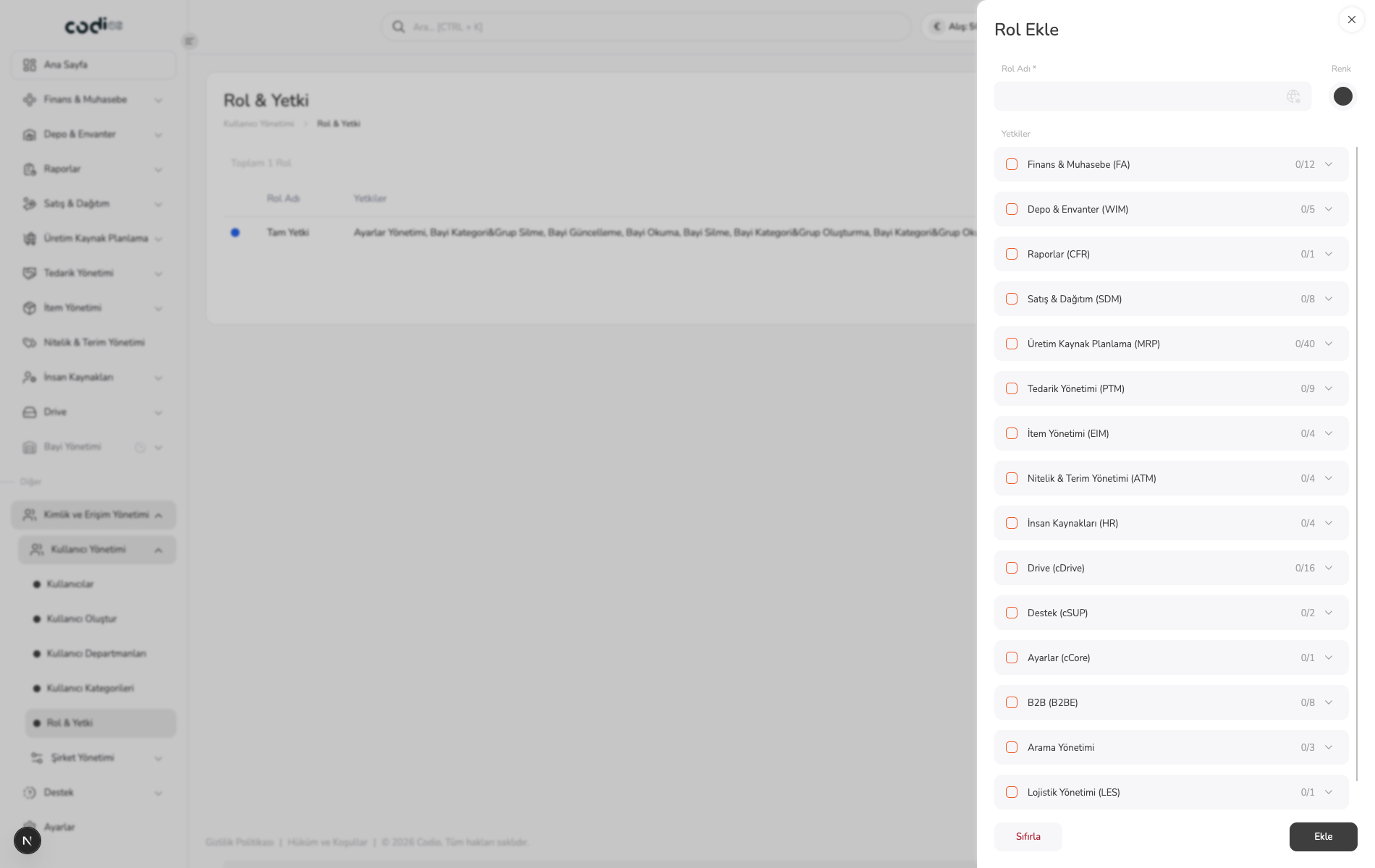
Create a role
- Review existing roles and their permission summaries.
- Select Rol Ekle to create a role.
- Fill in the required Rol Adı field.
- Open the relevant module in Yetkiler.
- Select the required permissions; each row shows selected and total permission counts.
- Save with Ekle or clear the selections with Sıfırla.
 123
- 1. Required role name field.
- 2. Module-based permission groups and selected/total permission counts.
- 3. Controls for resetting permission selections and adding the role.
Review the permission scope
Before saving, open only the required modules and review the operation permissions. After saving, review the permission summary in the role list.
Back to top