

Companies
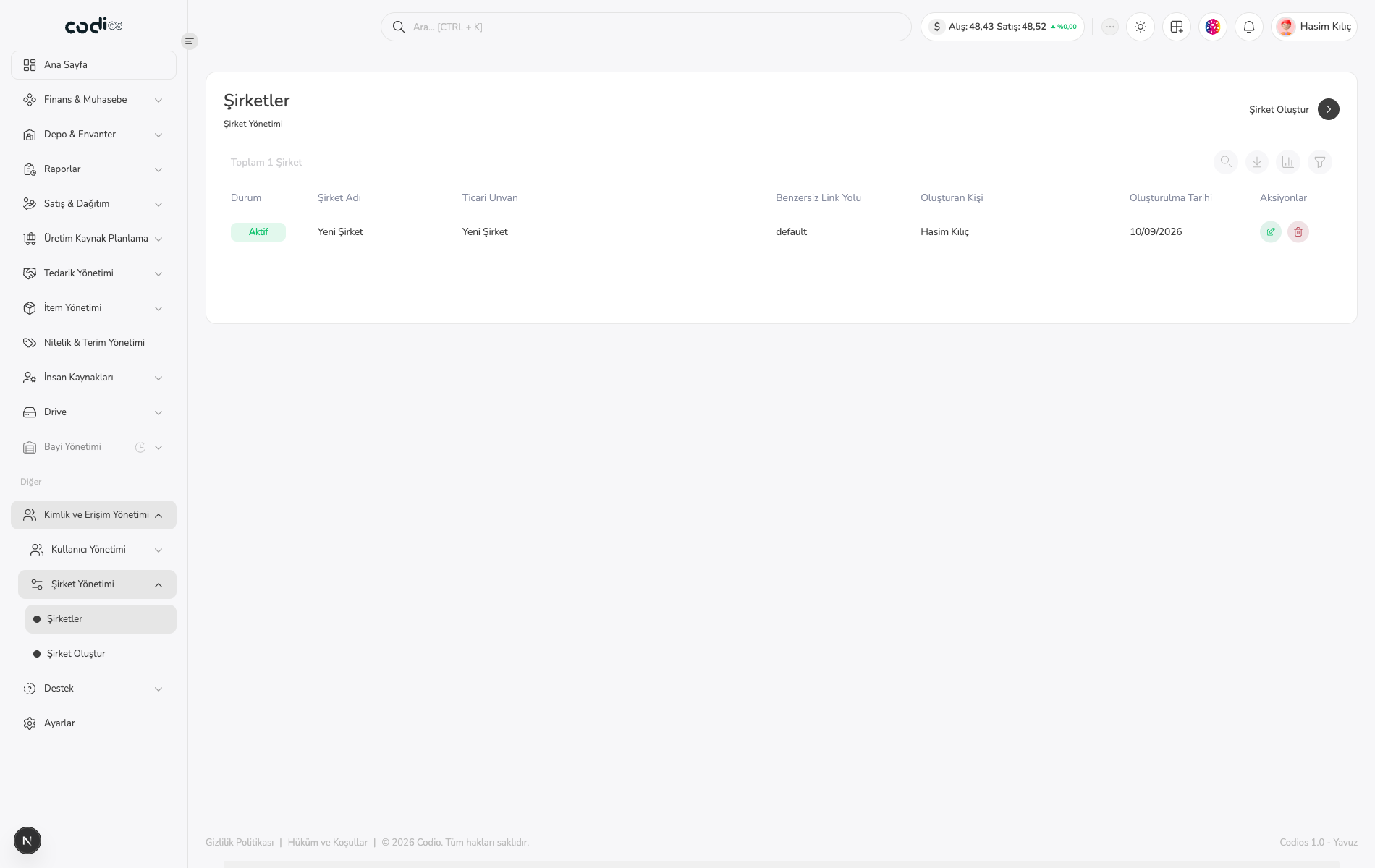
Companies lets you list, search, filter, and create company records in ERP.
Review a company relationship
- Open Şirketler.
- Search with Ara… or use Filtrele.
- Review status, company name, trade name, unique link path, creator, and creation date together.
- Select a company name to open its details.
 123
- 1. Controls for creating a company and filtering the list.
- 2. Total company count and list search field.
- 3. Company status, name, trade name, link path, creator, and creation date.
Open Şirket Oluştur to create a new company.
Update an existing company
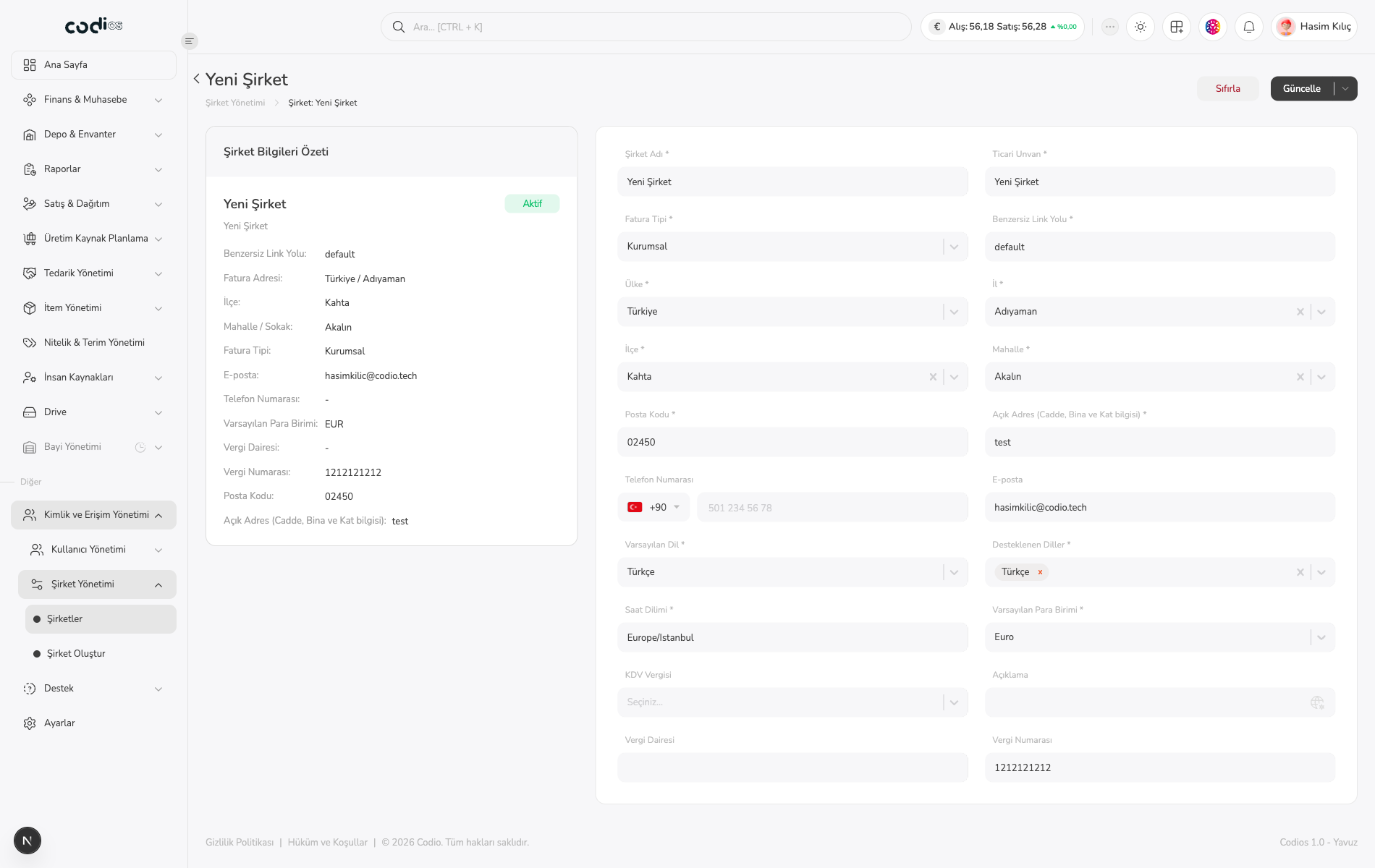
- Select the company name you want to update.
- Review Şirket Bilgileri Özeti on the Şirket screen first.
- Edit company name, trade name, invoice type, link path, address, contact, language, currency, and tax fields.
- Use Sıfırla to discard changes or Güncelle to save them.
 123
- 1. Sıfırla and Güncelle controls.
- 2. Company name, trade name, invoice type, link path, and address fields.
- 3. Contact, language, currency, and tax fields.
After updating, return to Şirketler and confirm that the changed information was saved.
Back to top