

Settings
The Ayarlar screen lets you configure the system defaults that apply to all modules: waste rate, default attribute ID, currency, languages, time zone, price list, order prefix, and the default billing address. Changes made here apply to the whole system, not to a single screen, so check the values carefully before saving.
Screen overview
- Open Diğer > Ayarlar from the left menu.
- See the Sistem Şirket Bilgileri card on the left and the Sistem Yapılandırması card on the right.
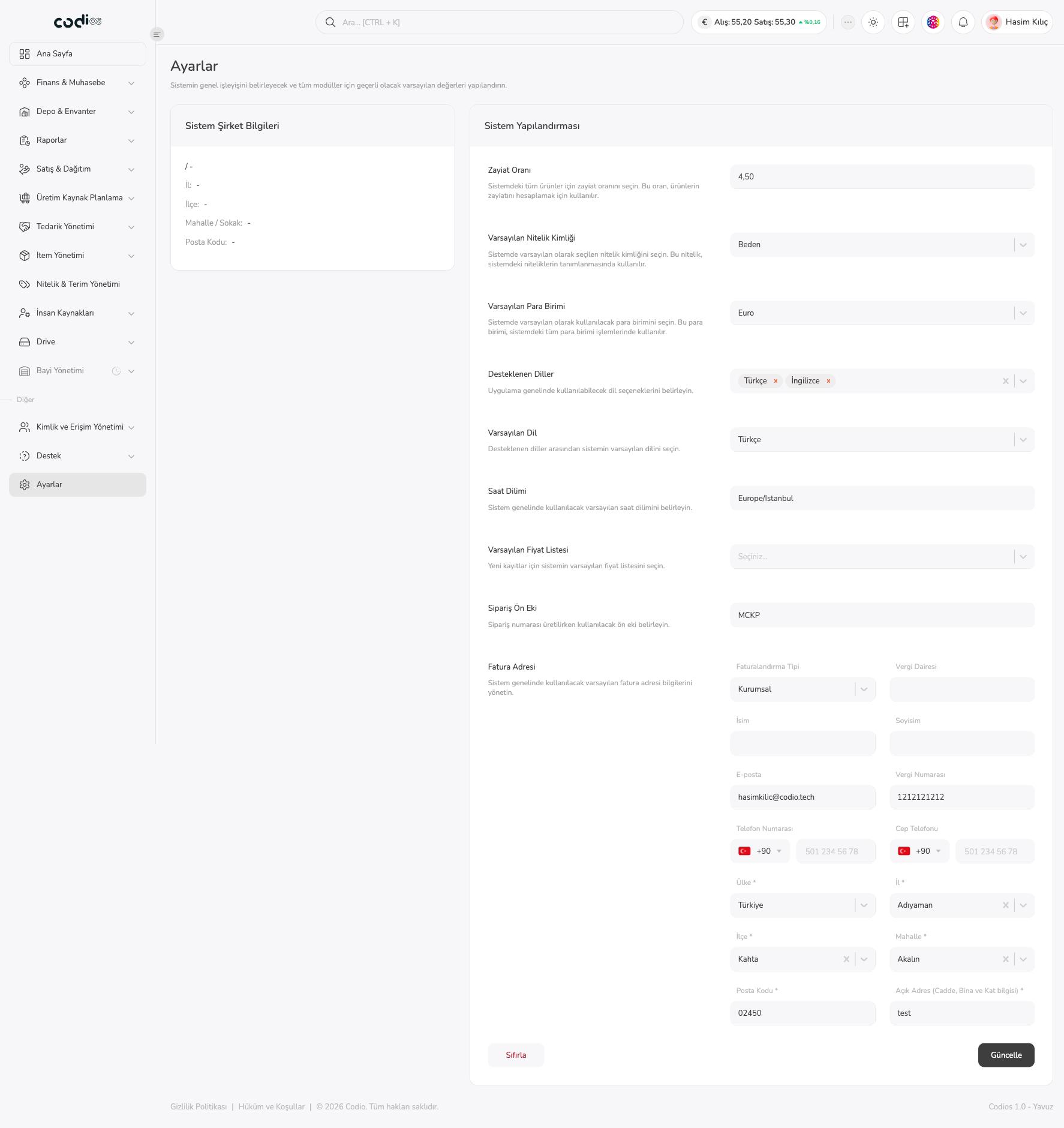
- The system configuration fields are listed from top to bottom; each field has its name on the left and a short description of what it does.
- After making changes, save them with the Güncelle button at the bottom of the page.
 123456789101112
- 1. The Sistem Şirket Bilgileri card shows the registered country/province, district, neighborhood/street, and postal code. A dash (
-) appears when there is no information. - 2. The Zayiat Oranı field sets the waste rate for all products in the system (for example
4,50); product waste is calculated with this rate. - 3. Varsayılan Nitelik Kimliği sets the attribute selected by default in the system; it is used when defining attributes (for example Beden).
- 4. Varsayılan Para Birimi sets the currency used in currency operations across the system (for example Euro).
- 5. Desteklenen Diller sets the languages available across the application; selected languages appear as tags (Türkçe, İngilizce).
- 6. Varsayılan Dil sets the default language of the system among the supported languages.
- 7. Saat Dilimi shows the default time zone used across the system (for example
Europe/Istanbul). - 8. Varsayılan Fiyat Listesi sets the default price list for new records.
- 9. Sipariş Ön Eki sets the prefix used when generating order numbers (for example
MCKP). - 10. The Fatura Adresi section takes the default billing information used across the system (see the heading below).
- 11. The Sıfırla button returns the form to its initial state.
- 12. The Güncelle button saves your changes.
Set the system defaults
Waste rate
Type the rate to be used for products in the Zayiat Oranı field. This rate is used to calculate product waste; changing it affects all products.
Default attribute ID
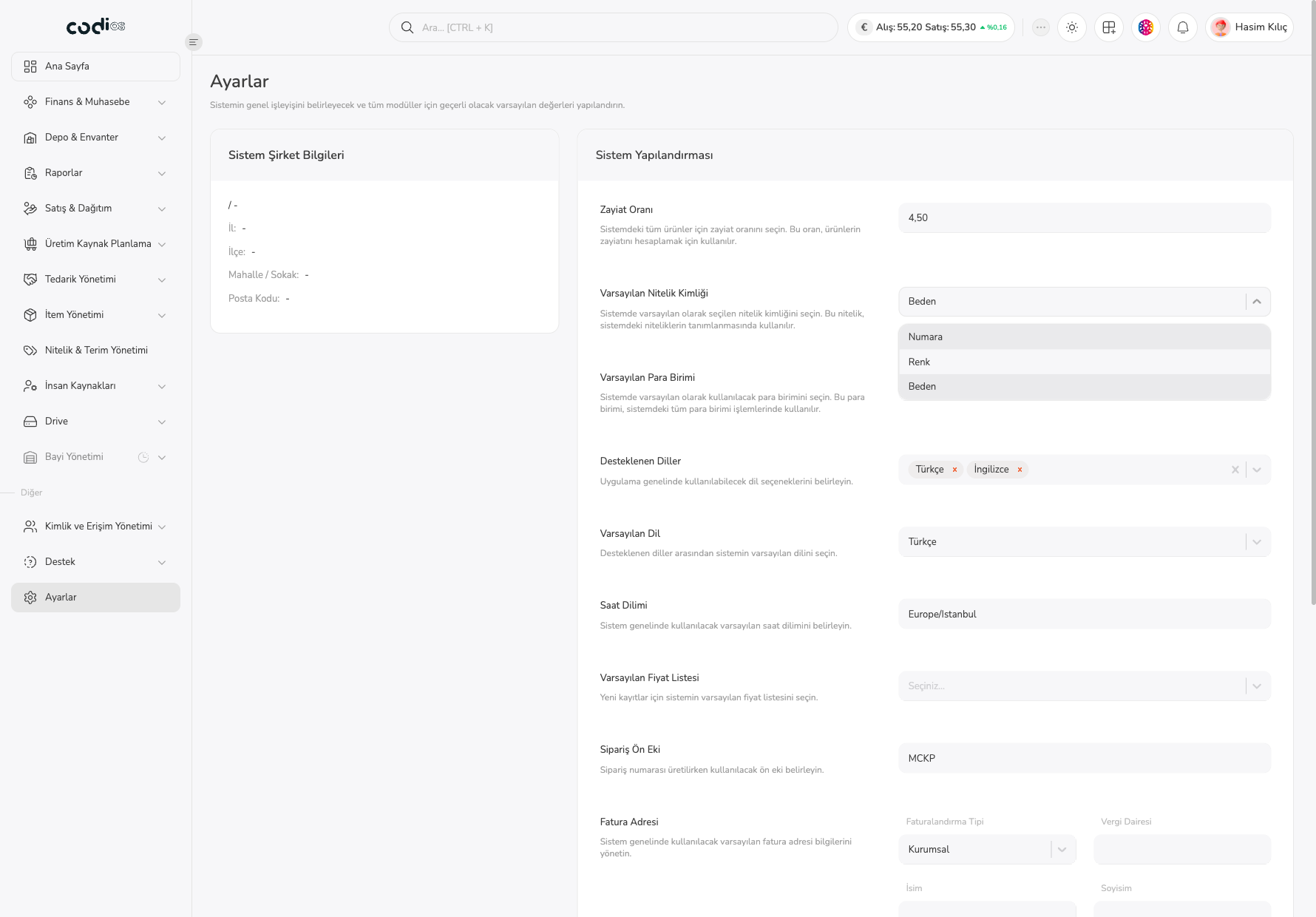
Select Varsayılan Nitelik Kimliği to open the attribute list. In this environment the options Numara, Renk, and Beden are listed; the selected attribute is used by default when defining attributes in the system.
 1
- 1. The opened list shows the attribute options (Numara, Renk, Beden); the value you pick is written to the field.
Currency
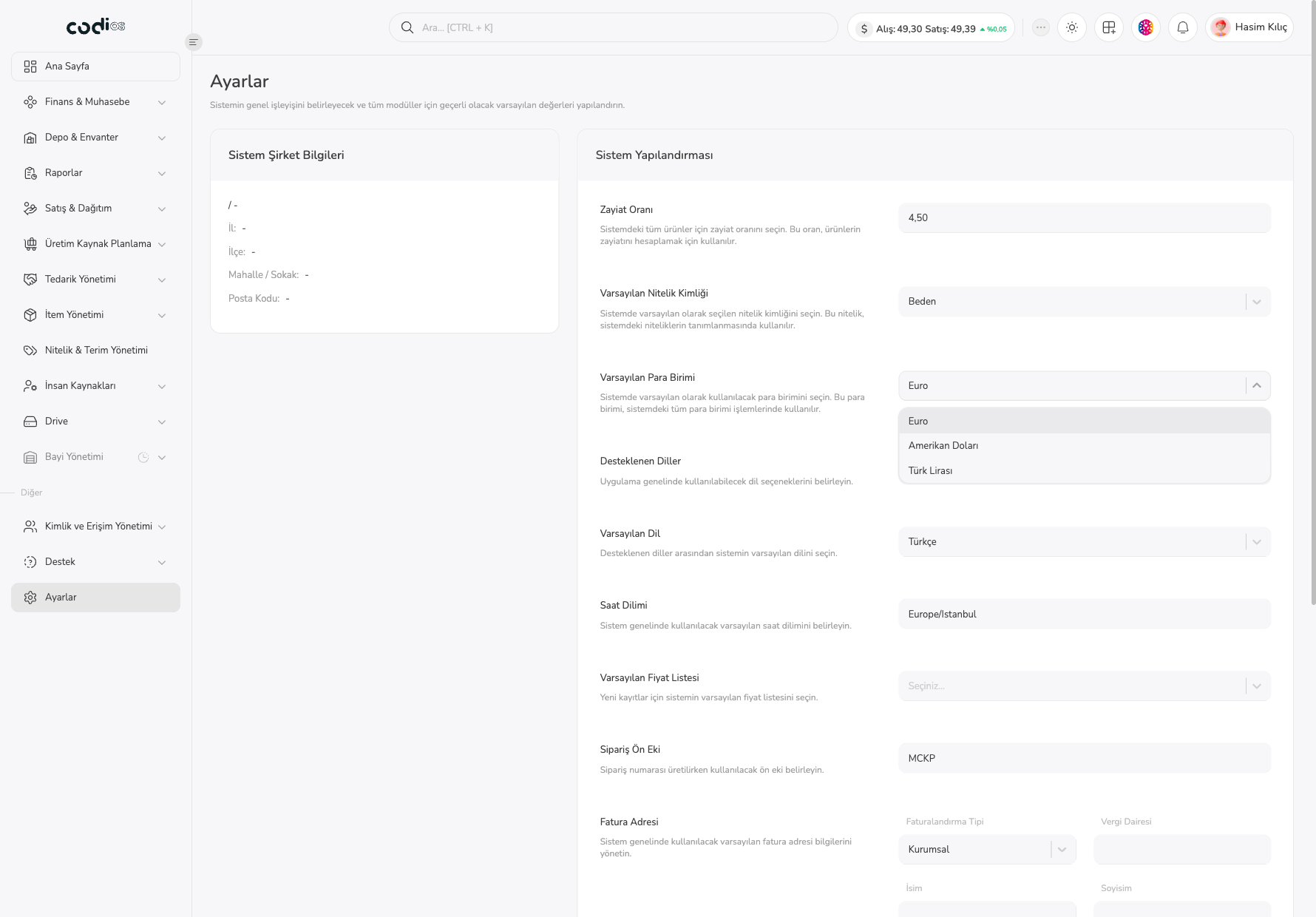
The Varsayılan Para Birimi field offers Euro, Amerikan Doları, and Türk Lirası. The unit you choose is used by default in all currency operations in the system.
 1
- 1. The currency list opens with three options; the selected row is highlighted.
Languages and time zone
- In Desteklenen Diller, select the languages available in the application. Remove a selected language with the cross next to its tag.
- In Varsayılan Dil, choose one of the supported languages (Türkçe or İngilizce) as the default.
- Check the time zone the system will use in Saat Dilimi.
Price list and order prefix
- Varsayılan Fiyat Listesi lets you choose the price list for new records. When nothing is selected yet, the field shows Seçiniz…; in this environment the dropdown has no price list to choose from.
- Type the short code that starts order numbers in Sipariş Ön Eki (for example
MCKP).
Manage the billing address
The Fatura Adresi section takes the default billing and contact information used across the system.
- In Faturalandırma Tipi, choose Bireysel or Kurumsal.
- For a corporate invoice, fill in Vergi Dairesi and Vergi Numarası; use İsim, Soyisim, and E-posta for the contact person.
- In Telefon Numarası and Cep Telefonu, enter the country code first (default +90), then the number.
- Fill in the starred (
*) fields: Ülke, İl, İlçe, Mahalle, Posta Kodu, and Açık Adres (Cadde, Bina ve Kat bilgisi).
Save the changes
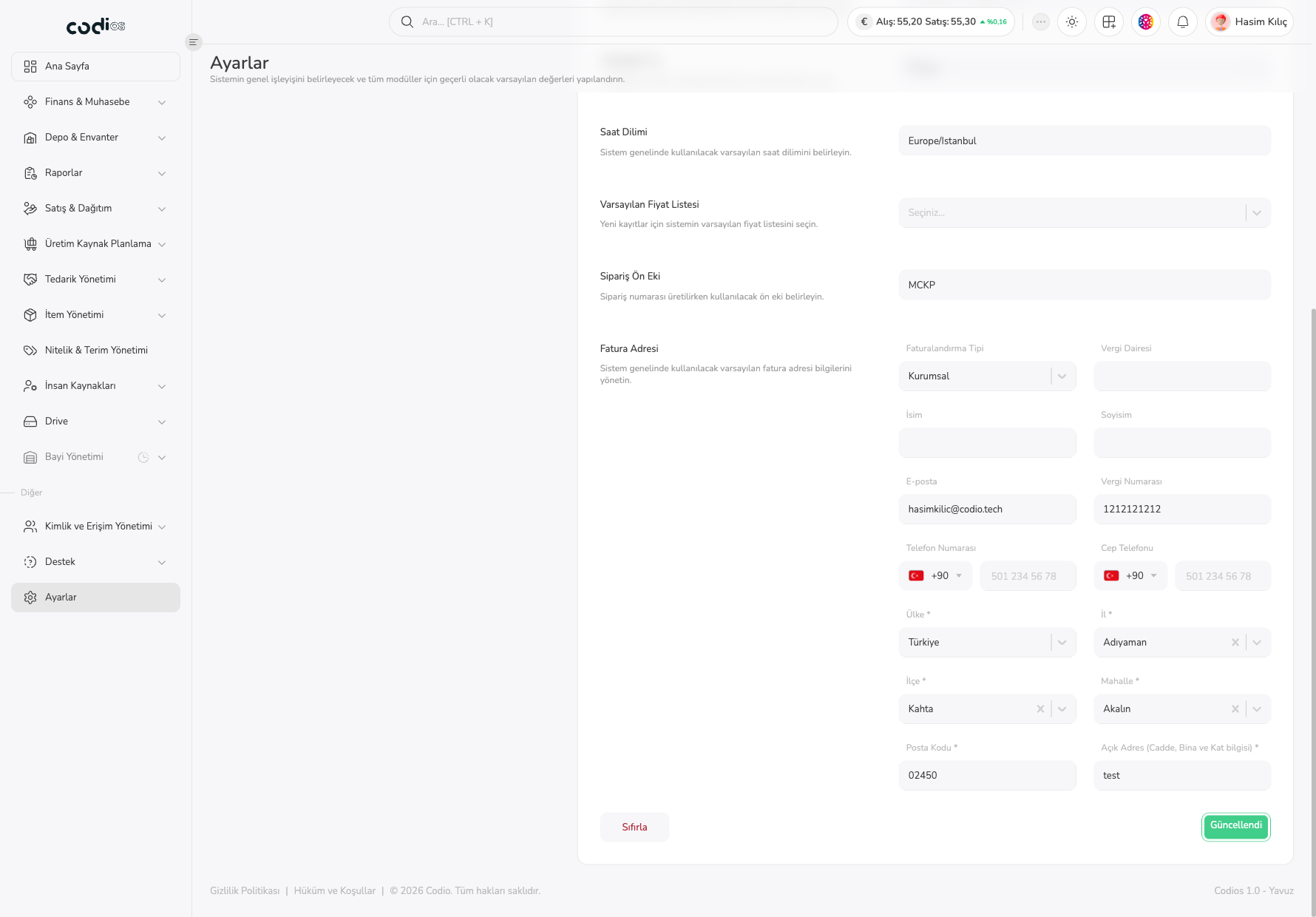
After making changes, select Güncelle. When the save completes, the button briefly shows Güncellendi.
 1
- 1. The Güncellendi text shows the settings were saved.
Points to watch
- The values on this screen affect all modules; confirm the effect with your team before changing fields such as currency, waste rate, and order prefix.
- The starred billing address fields are required.
- In this environment, saving the billing address did not change the dash (
-) values in the Sistem Şirket Bilgileri card; the card is fed from a separate record. - The Sıfırla button, changing language/time zone options, and switching to the Bireysel billing type were not tried while writing this page.